

At TechMatter, innovation isn’t just a goal; it’s the standard.
In his recent exclusive interview with IdeaMensch, our CEO and Founder, Mubashir Hanif, offers a rare, behind-the-scenes look into the mindset of a leader driving change at the intersection of healthcare and technology.
Mubashir’s story is one of discipline, vision and the courage to think bigger than most dare.
His belief? The right idea, executed with speed and consistency, can reshape entire industries.
Bold Predictions for the Future of Work
“I genuinely believe that within the next five years, a single AI system will be capable of doing the job of a thousand people,” Mubashir says. It’s a statement that turns heads not to shock but to spark action.
For him, AI is not a threat. It’s a tool. One that, if used wisely can free businesses to focus on what truly matters: solving problems innovating faster and delivering greater value to the people they serve.
From Setbacks to Scaling Success
Mubashir doesn’t shy away from the hard parts of building a business. In TechMatter’s early days, big investments didn’t always pay off. Instead of retreating, he doubled down on strategy leaned on his strengths and built a team that shared his vision.
“There’s no success without pain,” he reflects. “Failure becomes the foundation you build on.”
The Human Side of Leadership
Even as TechMatter expands globally, Mubashir stays grounded in the belief that leadership is about enabling others to do their best work. He invests in his team’s growth, prioritizes health and balance, and believes in removing barriers so innovation can thrive.
Sometimes, that means stepping back, literally. When feeling overwhelmed, he changes his environment entirely, using travel to reset his perspective and return with sharper focus.
Why You Should Read the Full Interview
This conversation isn’t just about AI, tech, or healthcare. It’s about the mindset required to lead in an era of constant change. Mubashir’s insights challenge assumptions, inspire bold thinking, and offer practical wisdom for anyone building something that matters.
Read the full interview on IdeaMensch to explore how Mubashir Hanif is shaping the future of work and redefining what it means to lead a technology company in today’s world.
Let’s face it: without digital infrastructure or we could say Digital Marketing, businesses today cannot thrive. Selecting the appropriate hosting environment may make or break your success, whether you’re an established business managing sensitive client data or a solopreneur releasing a new app. But it’s easy to become overwhelmed by the abundance of keywords that are being used, such as “hosted,” “cloud,” “hybrid,” and so on.
What is the actual distinction between cloud and hosted infrastructure, then? Which one works best for your company? And how can you prevent an expensive error? Stay there because we’ll explain everything in a straightforward, conversational manner that even your friend who isn’t tech-savvy can grasp.
What is Hosted Infrastructure?
Hosted infrastructure is the OG way of managing IT environments. Think of it like renting a fully furnished apartment—you don’t own the building, but you have a dedicated space that’s configured just for you.
When we use the term “hosted,” we typically mean a system in which a third-party provider leases out virtual machines or physical servers that are housed in off-site data centers. These servers are not shared with other clients and are set up especially to satisfy your company’s requirements.
The fact that hosted solutions frequently use fixed resources is one of their distinguishing characteristics. You are renting a certain quantity of memory, storage, and computing power. You must ask for an upgrade if you require more, which occasionally entails real hardware modifications.
Here, control is the key to success. You can access system configurations more directly in hosted environments. Everything is customizable, including your software stack and operating system. It’s a well-liked option for businesses in highly regulated sectors or with extremely unique IT needs.
How Hosted Solutions Work
Usually, enterprise-level, secure data centers house hosted infrastructure. These aren’t just any old buildings, either; they’re climate-controlled strongholds that are crammed with redundant networking configurations, backup power supplies, racks of high-performance servers, and round-the-clock security.
In essence, you lease a server or a portion of one when you select a hosted provider. The practical tasks, such as keeping your server cold, online, and linked to the internet, are handled by the hosting firm. They may also handle some of the software, including operating systems, firewalls, and backups, depending on your agreement.
It’s a great option if you want more control but don’t want the headache of maintaining your own hardware. It’s also favored by organizations that need to meet strict compliance standards, where knowing exactly where your data is stored matters a lot.
What is Cloud Infrastructure?
Now, let’s talk cloud. Unlike hosted infrastructure that runs on specific hardware, cloud infrastructure is all about abstraction. You’re not tied to a single server or physical machine—instead, your data and applications float across a network of interconnected servers (aka “the cloud”).
Cloud infrastructure is virtualized and scalable, which makes it a favorite among modern businesses. You can spin up new instances in minutes, scale your app automatically to handle a sudden traffic spike, and only pay for what you use. That’s right. There is no need to rent a beefy server just in case you have a busy day next Black Friday. With the cloud, resources are allocated on demand.
Cloud providers like AWS, Google Cloud, and Microsoft Azure have changed the game entirely. They offer everything from simple file storage to machine learning platforms and blockchain services. You don’t have to worry about the underlying infrastructure—it’s all handled for you.
Types of Cloud Services
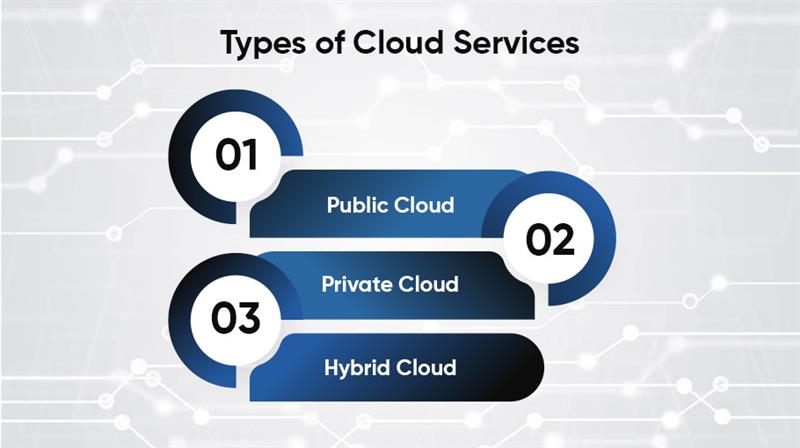
Cloud infrastructure isn’t one-size-fits-all. Depending on your needs, you can choose from a few different setups:
- Public Cloud
This is the most common and cost-effective option. Services are hosted on shared hardware, but data and access remain private. It’s like riding a bus—you share the ride, but you’ve got your own seat.
- Private Cloud
While a private cloud is exclusive to your company, it offers you the same freedom as a public cloud. Although it costs more, it is more secure and adaptable.
- Hybrid Cloud
This combines public and private clouds, giving you the best of both worlds. You can keep sensitive data in your private cloud and use the public cloud for less critical workloads. It’s like having a gym membership and home equipment—you work out wherever it makes the most sense.
Differences Between Hosted and Cloud
| Aspect | Hosted | Cloud |
| Deployment and Setup | Manual setup can take hours or days due to physical hardware. | Rapid deployment: environments may be created in minutes with a few clicks. |
| Cost Structure | Fixed monthly or annual pricing is predictable for budgeting. | Pay-as-you-go model: cost based on usage can add up if not monitored. |
| Flexibility and Scalability | Limited scalability; requires hardware upgrades or new contracts. | Highly flexible; scale up or down on demand with ease. |
| Security and Compliance | Full control is beneficial for regulated industries. | Strong security but shared responsibility; misconfigurations are a risk. |
| Maintenance and Support | Requires more in-house admin and support, especially for custom software. | Maintenance, updates, and security are mostly handled by the provider. |
When Should You Choose Hosted Infrastructure?
If you require complete control over your environment, hosted infrastructure is a good option. It is best for companies that:
- Run programs that are not cloud-native.
- Manage highly sensitive or regulated data.
- Need a steady, constant workload.
Industries such as banking, healthcare, and government frequently use hosted solutions. It gives them peace of mind and meets specific compliance mandates that cloud providers might not support out of the box.
When Should You Choose Cloud Infrastructure?
If you’re a startup, SMB, or even a large enterprise going digital-first, the cloud is your best bet. It’s built for rapid development, constant changes, and scaling with ease. You should go to the cloud if you:
- Want to innovate quickly?
- Expect fluctuations in traffic.
- Lack of in-house IT resources.
- Launching a new digital product.
The cloud allows you to experiment, fail quickly, and pivot without being tied to physical hardware.
Cost Comparison: Hosted vs. Cloud
Let’s break it down simply:
- Cloud: Low or no upfront cost, but variable monthly bills based on usage. If you don’t manage it well, things can get expensive fast.
- Hosted: Higher upfront costs (setup fees, hardware) but predictable monthly charges. You’re paying for the environment, regardless of usage.
It’s like comparing a mortgage to a utility bill. Hosted is stable and predictable. Cloud is flexible but requires careful monitoring.
Performance & Reliability
Server specifications, load balancing, geographical dispersion, and other variables all have an impact on performance.
Because you are not sharing resources, hosted infrastructure often provides constant performance. However, if you outgrow your arrangement, you will have to update manually.
Cloud companies generally give higher overall uptime and speedier failover systems. They’re designed to withstand surges and immediately redirect traffic if a server fails. This means fewer surprises and improved business continuity.
Compliance and Regulations
Hosted environments are often easier to configure for strict compliance. You know where your data lives, and you control who has access.
With the cloud, things get a bit trickier. You need to make sure your provider complies with standards like HIPAA, GDPR, or PCI-DSS. Many do, but configuration errors on your side can still leave you vulnerable.
Data sovereignty—i.e., where your data is physically stored—is also a big deal. Hosted solutions let you choose. Cloud providers might store your data across borders.
Future-Proofing Your IT Infrastructure
The tech world doesn’t stand still. As AI, automation, and digital transformation take center stage, cloud platforms are evolving to support next-gen applications.
Hosted solutions are dependable, but they don’t scale easily with new technologies. Cloud platforms integrate faster with emerging tech and offer a smoother upgrade path.
If your business is planning for long-term growth and innovation, the cloud gives you the agility to adapt without overhauling your infrastructure every few years.
How to Decide What’s Right for You?
In the end, it comes down to what you need.
Ask yourself:
- How fast do I need to scale?
- Do I need full control or just functionality?
- What’s my budget—now and in the future?
- What are my compliance obligations?
If your answer leans toward stability, control, and compliance—go hosted. If you need speed, flexibility, and cost-effectiveness—the cloud is your friend.
Conclusion
Choosing between hosted and cloud infrastructure is like choosing between a truck and a sports car—they both get you where you need to go, but how you get there (and what you carry with you) will vary.
Hosted infrastructure is great for control freaks, compliance-heavy industries, and businesses with legacy systems. Cloud infrastructure is ideal for innovators, entrepreneurs, and anybody who values speed, flexibility, and minimal start-up costs.
There is no universal solution, only the one that best suits your objectives. Take the time to examine your demands, plan for your future growth, and don’t be hesitant to combine both alternatives if that works best for you.
It might be annoying to see an error notice when web browsing. The most frequent HTTP status codes are 403 Forbidden and 401 Unauthorized. Despite their apparent similarities, they have diverse origins, solutions, and functions.
In this guide, we’ll break down these two error codes, explain why they occur, and provide actionable solutions to resolve them.
HTTP status codes are three-digit numbers that indicate the response of a web server to a client’s request. These codes help users and developers understand whether a request was successful or if there was an issue.
Common Categories of HTTP Response Codes
HTTP response codes are grouped into five main categories:
- 1xx (Informational): The request has been received and is being processed.
- 2xx (Success): The request was successful.
- 3xx (Redirection): Further action is needed to complete the request.
- 4xx (Client Errors): The request contains an error (e.g., incorrect credentials, lack of permission).
- 5xx (Server Errors): The server failed to fulfill the request.
The 401 and 403 errors fall under the 4xx category, meaning they are client-related errors.
What is a 401 Error?
A 401 Unauthorized error means that the server rejected the request because it requires authentication, but the client either failed to provide credentials or provided incorrect ones.
Causes of a 401 Error
- Missing authentication credentials
- Incorrect username or password
- Expired session or token
- IP restrictions on the server
- Incorrect API keys (for API requests)
How to Fix a 401 Error
- Check login credentials: Ensure you enter the correct username and password.
- Clear browser cookies and cache: Old session data may cause authentication failures.
- Refresh authentication tokens: If accessing an API, ensure your token is valid.
- Verify website permissions: Some websites require specific permissions to access certain content.
What is a 403 Error?
A 403 Forbidden error occurs when the server understands the request but refuses to authorize it. This usually happens due to permission restrictions on the server.
Causes of a 403 Error
- Insufficient user permissions
- Blocked IP address
- Directory listing disabled
- Security settings preventing access
How to Fix a 403 Error
- Check file permissions: Ensure the correct read/write permissions are set.
- Modify .htaccess file: If misconfigured, this file can block access.
- Disable security plugins: Some security settings might restrict access.
- Contact the website admin: If you suspect an IP block, reach out to the website administrator.
How To Monitor 401 And 403 HTTP Errors On Your Website
You need to actively monitor 401 vs. 403 errors in order to keep them under control. With the help of tools like Google Search Console and SE Ranking’s Website SEO Audit tool, this is rather simple to do. Log files can also be analyzed. Read more about this below.
Identifying 401 And 403 Error Codes With Google Search Console
By offering a comprehensive report on crawl errors, Google Search Console assists you in discovering problems associated with 401 and 403 HTTP response codes. These errors show when specific pages on your website are difficult for Googlebot to reach.
In the Google Search Console, choose the Pages tab under the Indexing report to identify problems with 401 and 403 status codes. To view the list of causes, scroll down to the section under “Why pages aren’t indexed.” You will notice Blocked due to unlawful request (401) or Blocked due to access restricted (403), depending on whether your website has blocked pages.
You may also see the Crawl metrics report by going to Settings. Scroll down to the By response section, and check for Unauthorized (401/407) and Other client error (4XX).
Identifying 401 And 403 Error Codes With The Website Audit Tool
The Website Audit tool from SE Ranking makes it easy to distinguish between unauthorized and prohibited status codes. Technical audits are useful for determining the general health of your website. Among many other things, it may identify redirect difficulties, page indexing issues, and HTTP failures.
To find 401 and 403 HTTP issues, use SE Ranking to start a website check. The tool is offered as a standalone solution as well as a project. After the study is finished, navigate to the Website Audit tool’s Issue report.
Proceed to the HTTP Status Code section and check all the 4xx-related issues, including:
- 4XX pages in XML sitemap
- 4XX HTTP Status Codes
- Canonical URLs with a 4XX Status Code
- External links to 4XX, etc.
To get a description of the issue along with solutions, click on it.
Additionally, you can use filters to sort pages by 4xx status code and view all of the pages on your website that were discovered by SE Ranking using the Crawled Pages report. pick the error of interest, click on Filters, pick HTTP Status Code under Issues, and then apply filters.
Use the Crawl Comparison to examine how the issue with 4xx HTTP failures has evolved over time if you’ve performed many website inspections.
Identifying 401 And 403 Error Codes With Log File Analysis
Web servers produce log files that include important facts about each request sent to the server, including the status codes that were returned.
The following procedures outline how to use log file analysis to monitor HTTP errors:
- Obtaining access logs: Get your web server’s access logs. Every request sent to the server and the response codes received are documented in detail in these logs.
- Using the status code to filter: Filter log entries for HTTP status codes 403 and 401 using a script or log analysis tool.
- Analysis of timestamps: To find out when the mistakes happened and learn more about possible problems, go over the timestamps linked to each entry.
- Analysis of IP addresses and user agents: Examine the user agents and IP addresses connected to the queries that produced 403 or 401 failures. This aids in determining the origins of the access attempts and determining if they are coming from bots, actual users, or other security risks.
- URLs and referrers: To determine which pages or resources caused the 401 or 403 problems, examine the URLs and referrers in the log entries. This identifies where access problems are.
- User Authentication Insights (401): Look for information about user authentication failures in the log entries for 401 errors. Keep an eye out for trends like unsuccessful login attempts, inaccurate login information, or expired sessions.
- Forbidden Access Insights (403): Examine the log entries for 403 errors to find out why access was blocked. Examine any configurations that could be limiting access to certain resources, such as directory permissions or access restrictions.
Key Differences Between 401 and 403 Errors
Access vs. Authentication Issues
- 401 Error: Indicates missing or incorrect authentication credentials.
- 403 Error: Indicates that authentication was successful, but access is restricted.
Server and Client Perspectives
- 401 Unauthorized: The server requests proper credentials.
- 403 Forbidden: The server rejects access even with credentials.
How 401 And 403 Status Codes Can Impact SEO
SEO problems such as 401 and 403 HTTP failures might lead to erroneous or incomplete indexing. They can also raise bounce rates and worsen user experience and engagement. Let’s examine these status codes’ effects on SEO outcomes in more detail.
Search engines can’t index pages
Search engines cannot crawl or index pages that produce these HTTP errors because they both signal access denial. If such pages weren’t intended for public access, that’s OK. However, they won’t show up in search results if that was your intention. This implies a decrease in the overall visibility of your website.
Crawl budget is wasted on restricted pages
Search engine bots use crawl resources to try to retrieve content that they can’t ultimately display in search results when pages return 401 or 403 HTTP status codes. Because it stops other crucial sites or fresh information from being crawled as often or completely, this affects the crawling process’s overall efficiency.
Users get frustrated and leave your pages quickly
The consumer experiences annoyance and a bad overall experience when they encounter these mistakes. Reduced time spent on the website, poorer engagement metrics, and increased bounce rates are all seen.
Rankings may drop over time
Search engine ranking declines may stem from a combination of blocked indexing, squandered crawl money, and poor user experience.
Troubleshooting and Preventing These Errors
Steps to Resolve a 401 Error
- Double-check login credentials.
- Clear browser cache and cookies.
- Refresh authentication tokens.
- Ensure correct API keys for API requests.
Steps to Resolve a 403 Error
- Verify file and directory permissions.
- Check server configuration files.
- Contact the website administrator.
Best Practices for Preventing Authentication and Access Errors
- Make use of safe authentication techniques such as OAuth.
- Maintain and update user permissions on a regular basis.
- For security reasons, keep an eye on and record access requests.
- Update server configuration files to avoid unintentional limitations.
Conclusion
Although they have different causes, 401 Unauthorized and 403 Forbidden errors can both interfere with your surfing experience. A 403 error indicates that you are not permitted to access the resource, but a 401 error indicates that you require appropriate authentication.
You can rapidly fix the majority of problems and prevent more disruptions by being aware of these mistakes and following the troubleshooting methods.
Not all business servers are created equal — just ask the IT professionals who support their organizations’ operations and workloads daily.
In 2020, IT specialists estimated a 50/50 split between on-site business servers and cloud-hosted servers used at their companies. In 2025, though, that divide will grow to a 52 percent—24 percent split in favor of cloud-hosted servers.
No matter which type of server works better for your business, one thing’s for sure: the efficiency and reliability of your IT infrastructure can make or break your operations.
What Exactly Is a Small Business Server?
At its core, a server is a powerful computer designed to manage, store, and process data for multiple users. Unlike a regular PC, which is built for personal use, a server handles requests from multiple devices at once.
Here’s what a small business server can do:
- Store and manage files – A centralized location for documents, spreadsheets, and company data.
- Host applications – Run business software without relying on third-party cloud services.
- Enhance security – Control access, set up firewalls, and protect sensitive information.
- Manage emails and websites – Many businesses use their servers for email hosting and website management.
- Backup important data – Prevent data loss with automated backups and disaster recovery solutions.
Do You Actually Need a Server?
If you’re running a solo business or a small team of freelancers, a cloud-based storage solution like Google Drive or Dropbox might be enough. But if you find yourself needing more control, security, and efficiency, it might be time to invest in a server.
Signs That Your Business Needs a Server
- Your employees struggle to find and share files efficiently.
- You handle sensitive customer data that requires extra security.
- Your team needs access to business software from different locations.
- Your business relies on email hosting, databases, or applications that require 24/7 uptime.
- You’re spending too much time troubleshooting slow connections and file-sharing problems.
If any of these sound familiar, it’s worth considering a dedicated server for your business.
Types of Small Business Servers
Not all servers are same. Depending on your budget, IT skills, and company objectives, you can select between three primary types:
1. On-Premises Servers
These are physical servers located within your office. They give you full control over your data but require maintenance and IT knowledge.
Pros
- Data stays in-house—better security for sensitive information.
- No dependency on external providers.
- Faster access speeds since everything runs locally.
Cons
- High upfront costs for hardware and setup.
- Requires IT expertise to maintain and troubleshoot.
- Limited scalability—expanding storage means buying more equipment.
2. Cloud Servers
Cloud servers are hosted by third-party providers like AWS, Microsoft Azure, or Google Cloud. Your data is saved and accessible remotely over the internet.
Pros
- No need for expensive hardware or an IT team.
- Easily scalable—upgrade your storage and performance as needed.
- Accessible from any location, making it great for remote teams.
Cons
- Monthly subscription expenses can accumulate over time.
- Relies on internet connectivity—downtime can disrupt operations.
- Less control over data security compared to an on-site server.
3. Hybrid Servers
A mix of on-premises and cloud solutions, hybrid servers give you the best of both worlds. You can store critical files locally while using the cloud for flexibility.
Pros
- Increased security—store sensitive data in-house while using the cloud for less critical operations.
- Greater reliability—if one system fails, the other can take over.
- Customizable setup based on business needs.
Cons
- Requires IT expertise to manage both local and cloud infrastructure.
- It can be more expensive due to dual systems.
Key Factors to Consider When Choosing a Server
Before investing in a server, consider these important factors:
1. Business Size and Growth Potential
Are you a small team of 5-10 people, or do you want to grow to 100+? Choose a server that can expand with your business.
2. Storage and Performance Needs
Do you work with enormous files, databases, or heavy applications? Consider the server’s processing power (CPU), memory (RAM), and storage space.
3. Security Requirements
If you store client information, financial data, or sensitive company files, seek for servers that have security features such as encryption and firewall protection.
4. Budget
On-premises servers have substantial initial expenses, but cloud solutions require a monthly subscription. Before making a decision, compare your long-term expenditures.
5. IT Support
Do you have an IT team, or will you need managed services? Some businesses prefer cloud servers to avoid the hassle of maintenance.
Top Small Business Servers in 2025
If you’re ready to invest in a server, here are some of the best options available:

1. Dell PowerEdge T40
- Ideal for: Small workplaces with simple requirements.
- Pros: affordable, dependable, and simple to set up.
- Cons: limited scalability.
2. HPE ProLiant ML350
- Best for: Growing enterprises that require powerful performance.
- Pros: High processing power and extensible storage.
- Cons: Higher costs, demands IT knowledge.
3. Synology DiskStation DS920+ (NAS Server)
- Ideal for: file storage and backup solutions.
- Pros: Easy to use UI, strong security features.
- Cons: not suitable for hosting applications.
4. Microsoft Azure (Cloud-Based Server)
- Best for: Businesses that want flexible cloud infrastructure.
- Pros: Scalable; no maintenance required.
- Cons: monthly membership fees.
Conclusion
Choosing the proper server for your organization is a strategic choice, not merely a technical one. Whether you choose an on-premises, cloud-based, or hybrid solution, your server is critical to maintaining seamless operations, data security, and long-term scalability.
Before making a final selection, carefully consider your needs, budget, and IT skills. A well-chosen server will not only increase the efficiency of your organization, but will also secure your precious data from security breaches.
Businesses require dependable and effective customer service to maintain operations in the fast-paced digital world of today. Help desk outsourcing, in which businesses contract with outside vendors to manage their IT and customer support needs, is one of the best methods to do this.
But why do businesses choose to outsource their help desks? Simple: It saves costs, ensures round-the-clock availability, and allows companies to focus on their core operations. Let’s explore the benefits, challenges, costs, and best practices for choosing the right help desk outsourcing provider.
The advantages of outsourcing the help desk

- Cost Savings
One of the primary reasons businesses outsource their help desks is to cut operational expenses. Hiring and maintaining an in-house support team requires salaries, training, equipment, and office space. Outsourcing eliminates these costs, allowing businesses to pay only for the services they need.
- 24/7 Support
Customers expect immediate support, regardless of time zones. Outsourced help desks provide 24/7 customer service, ensuring that businesses never miss a critical request. This is especially useful for global companies with clients in different regions.
- Advanced Technology
Outsourced service providers employ highly skilled IT professionals who are experienced in handling a wide range of technical issues. Additionally, outsourcing companies invest in the latest support technology, including AI-powered chatbots, ticketing systems, and automation tools.
- Scalability and Flexibility
Business growth and seasonal demand fluctuations require adaptable support solutions. Outsourcing provides scalable help desk services, allowing businesses to expand or reduce support as needed without long-term commitments.
- Core Business Functions
Internal teams may concentrate on key business operations instead of resolving IT problems by outsourcing IT assistance. Better resource distribution and greater efficiency are the outcomes of this.
Possible Difficulties with Help Desk Service Outsourcing
- Quality Control Concerns
It might be difficult to maintain consistent service quality when the help desk crew works externally. To secure first-rate assistance, businesses need to make sure their supplier satisfies specified SLAs.
- Data Security and Privacy Risks
Outsourcing IT services means sharing sensitive customer and company data. To mitigate risks, companies should partner with providers that adhere to strict security policies and comply with industry regulations such as GDPR and HIPAA.
- Loss of Direct Customer Interaction
Outsourcing can lead to a disconnect between a business and its customers. Businesses may get around this, though, by tailoring their outsourced assistance and making sure the supplier is aware of the brand’s values and preferred method of customer care.
Cost Analysis of Help Desk Outsourcing
Factors Affecting the Cost
The cost of outsourcing varies based on several factors, including:
- Service level agreements (SLAs) – Faster response times may cost more.
- Number of support channels – Phone, email, chat, and social media support impact pricing.
- Complexity of support requests – Basic troubleshooting costs less than advanced IT support.
In-House vs. Outsourced Cost Comparison
While in-house IT support includes salaries, benefits, and infrastructure costs, outsourcing follows a pay-as-you-go model. However, businesses must also consider potential hidden costs, such as vendor transition fees.
How to Choose the Right Help Desk Outsourcing Provider
- Define Your Business Needs
Before selecting a provider, businesses should identify their key support requirements and understand what level of customer service their clients expect.
- Evaluate Provider Experience and Reputation
A provider’s industry experience, testimonials, and case studies offer valuable insights into their reliability and performance.
- Assess Service Level Agreements (SLAs)
A clearly established SLA sets performance goals, issue resolution benchmarks, and response timeframes to ensure smooth service delivery.
Bottom Line
Outsourcing help desk services offer numerous benefits, from cost savings to improved efficiency. However, businesses must carefully evaluate providers based on security, scalability, and cost transparency to make an informed decision.
The foundation of healthcare operations has always been revenue cycle management or RCM. RCM guarantees healthcare providers’ financial stability from patient registration to the last payment. Traditional approaches, however, have encountered several difficulties, such as high mistake rates and inefficiency. Enter technology—a transformative force driving innovation and reshaping how RCM operates.
What is Revenue Cycle Management?
The process of overseeing the financial facets of patient care, from the first appointment scheduling to the last account payment, is known as revenue cycle management. It guarantees that healthcare institutions continue to provide high-quality treatment while staying financially sustainable.
Traditional RCM relied closely on guide methods, paper facts, and siloed structures. These techniques were liable to errors, delays, and inefficiencies, frequently leading to revenue leakage and poor affected person stories.
The Role of Technology in Modern RCM
Technology is revolutionizing revenue cycle management (RCM), making it more efficient, accurate, and patient-centric. By leveraging automation, data analytics, and cloud-based solutions, healthcare providers can streamline operations, reduce costs, and focus more on delivering quality care. Let’s dive deeper into how these technological advancements are shaping modern RCM.
Automation in RCM
Revenue cycle management has seen a revolution because tofautomation, which makes repetitive and complicated administrative processes like insurance verification, billing, and claims processing easier. Automation dramatically lowers human error, which frequently results in claim denials or payment delays, by reducing manual intervention.
Healthcare providers may ensure better financial health and faster cash flow by using automated workflows to expedite the whole billing cycle, from patient registration to final payment. Furthermore, automation allows employees to concentrate on more strategic responsibilities like increasing service delivery and patient involvement rather than repetitive, time-consuming duties.
Automated RCM systems can:
- Simplify the insurance verification and patient registration processes.
- Find billing and coding mistakes prior to filing claims.
- Reduce unpaid bills by sending patients automatic payment reminders.
- Monitor and evaluate financial results in real-time.
Healthcare providers may increase operational effectiveness, lessen administrative workloads, and improve patient satisfaction by adopting automation.
Data Analytics and Predictive Insights
The way healthcare providers make operational and financial choices is changing as a result of the incorporation of data analytics into RCM. With vast amounts of patient and payment data generated daily, advanced analytics tools provide valuable insights into patterns, trends, and potential risks.
Predictive analytics takes this a step further by helping healthcare organizations forecast revenue trends, identify potential revenue leakage, and proactively address inefficiencies before they escalate. Predictive models, for instance, can forecast claim denials and suggest remedial measures to increase claim acceptance rates by examining previous billing data.
Key benefits of data analytics in RCM include:

- Better Revenue Forecasting: Providers can more accurately predict changes in cash flow by examining past payment trends.
- Improved Ability to Make Decisions: Healthcare executives may make well-informed operational and financial decisions with the help of real-time data.
- Actively Solving Issues: Revenue loss is avoided, and collection rates are increased when billing inefficiencies are identified early.
- Personalized Patient Engagement: More individualized financial interactions are made possible by insights into patient payment patterns, which raise compliance and satisfaction.
Healthcare companies may improve their revenue cycle, find weaknesses in their financial procedures, and make data-driven choices that boost their bottom line by utilizing data analytics.
Cloud-Based Solutions
Because cloud technology gives healthcare providers unmatched flexibility, scalability, and accessibility, it is quickly revolutionizing revenue cycle management. Cloud-based RCM solutions offer safe and affordable access to vital financial data from any place at any time, in contrast to traditional on-premises systems that need hefty hardware and maintenance investments.
Supporting remote work, which enables billing teams to cooperate easily even while operating from separate places, is one of the main benefits of cloud-based RCM. In the post-pandemic period, where distant operations are becoming more common, this has become extremely important.
Key advantages of cloud-based RCM systems include:
- Scalability: Allows healthcare companies to expand easily without requiring expensive infrastructure updates.
- Real-Time Access: Facilitates immediate access to operational and financial data, assisting providers in making prompt, well-informed decisions.
- Improved Security: Top cloud service providers have strong security measures in place to guarantee adherence to HIPAA and other legal requirements.
- Lower IT Costs: Frees up funds for patient care initiatives by reducing the requirement for internal IT support and infrastructure upkeep.
By adopting cloud-based RCM solutions, healthcare providers can enjoy increased agility, improved financial performance, and a more connected approach to revenue cycle management.
Key Technologies Revolutionizing RCM
- Learning and Artificial Intelligence
By evaluating enormous volumes of data, AI and ML facilitate intelligent decision-making. They help with denial management, fraud detection, and even patient billing.
- Robotic Process Automation
RPA drastically lowers processing times and mistakes by taking over repetitive operations like data entry and claims verification.
- Using Blockchain to Increase Transparency
Blockchain technology guarantees safe and transparent transactions, which facilitates payment tracking and lowers fraud in the medical field.
- Integration of Virtual Care and Telehealth
RCM now faces additional difficulties as a result of the growth of telemedicine. Virtual care billing is integrated seamlessly thanks to technology, which also maintains accuracy and compliance.
Essential Features in Modern RCM Technologies
- Predictive analytics: By examining past billing data, analytical tools can spot trends and problems in revenue cycles. This aids administrators in making well-informed choices to maximize financial outcomes.
- Interoperability: By implementing standards like HL7 and FHIR, EHR systems and billing platforms may better share data, improving revenue cycle accuracy and efficiency.
- Integration of Mobile Health (mHealth): RCM solutions that are compatible with mobile apps are necessary for mHealth technologies in order to provide real-time data access, enhance patient involvement, and streamline payment procedures.
- Cloud-Based Solutions: As more businesses use cloud technologies, it’s critical to install RCM solutions that provide real-time collaboration and centralized data management for compliance and operational efficiency.
Benefits of Technology in RCM
- Enhanced Accuracy & Efficiency: Automation expedites billing and lowers mistakes, resulting in quicker payouts and fewer rejections.
- Improved Patient Experience: Patients may more easily control their medical costs thanks to online payment alternatives and transparent billing.
- Cost Savings: Automation eliminates the need for manual procedures, decreases mistakes, and lowers administrative expenses.
- Real-Time Financial Insights: By monitoring income and spotting problems early, providers may enhance cash flow management.
- Decreased Claim Denials: AI-powered solutions ensure more efficient processing by identifying problems before submission.
- Regulatory Compliance: Technology ensures data security and compliance by keeping abreast of healthcare rules.
- Predictive Analytics: Advanced insights from predictive analytics aid in revenue forecasting and financial planning optimization.
- Faster Payments: Digital billing options speed up collections and improve cash flow.
- Scalability: Cloud-based solutions allow providers to grow without major IT investments.
- Improved Staff Productivity: Automation frees up staff to focus on patient care rather than paperwork.
Challenges in Adopting New Technologies
- Resistance to Change
Many agencies struggle with resistance from personnel accustomed to traditional strategies. Effective alternate management is crucial.
- Implementation Costs
The upfront charges of implementing superior technology may be a barrier for smaller providers.
- Data Security and Compliance Concerns
With extended digitalization comes the want for robust cybersecurity measures to guard sensitive patient records.
Bottom Line
Without a doubt, the future of revenue cycle management is leading with thehelp of technology. Healthcare providers may guarantee operational effectiveness, improve patient experiences, and attain financial sustainability by adopting innovation. The future doesn’t wait for anyone; therefore, now is the time to adjust.
Every choice you make in the bustling world of mobile app development is a crossroads. Your digital creation’s destiny is shaped by the decisions you make along the way. When a new project begins, developers frequently find themselves at a well-known crossroads, considering an important decision: Should I use Native or React Native? The decision to choose React Native or Native development can have an impact on anything from your app’s performance to the development timeline and expenditures. Let’s look at the main differences, pros, and drawbacks of each strategy so you can make an informed decision about your project.
What is React Native?
React Native, a prominent open-source framework established by Facebook, allows developers to construct cross-platform mobile applications with JavaScript and React. React Native allows you to use a single codebase for both iOS and Android, making it a popular choice for enterprises looking for cost-effective, quick app development.
What is Native Development?
Native development, on the other hand, entails designing unique apps for each operating system (iOS and Android) using languages designed expressly for each platform. For iOS, this means Swift or Objective-C, but Android apps are often written in Kotlin or Java. Native apps are noted for their fast performance and tight interaction with the device’s features.
Advantages of React Native Vs Native
| React Native | Native |
| Cross-Platform Compatibility | Superior Performance |
| With React Native, a single codebase can be used to deploy apps across multiple platforms, which reduces development time and effort. This is especially beneficial if you’re targeting both iOS and Android users. | Since Native apps are written in languages designed for the platform, they generally perform better, especially for complex and graphics-heavy applications. |
| Faster Development Time | Enhanced User Experience |
| Because you’re working with a single codebase, developing and deploying a React Native app is generally quicker than building separate Native apps for each platform. | Native apps can offer a more seamless and consistent user experience, as they are tailored to the unique features and design guidelines of each platform. |
| Cost Efficiency | Full Access to Device Features |
| React Native can be a cost-effective choice, especially for startups and small to medium-sized businesses. With one team and one codebase, you can save significantly on development costs compared to creating separate Native apps. | Native development allows for complete access to device hardware and APIs, which can be crucial for apps that require advanced functionalities like AR, VR, or heavy graphics processing. |
React Native vs. Native
Performance Comparison
Native apps typically outperform other apps due to their direct interaction with platform-specific APIs and streamlined code. However, React Native can still provide excellent performance for the majority of use scenarios. In applications with low processing demands, the performance difference between React Native and Native is frequently trivial.
Development Speed and Efficiency
React Native supports code reuse across platforms, which can greatly save development time. This can be very useful for simple to somewhat complicated programs. However, when app complexity rises, the need for platform-specific changes in React Native may erode its efficiency advantage.
Cost Considerations
A React Native app typically has a lower initial development cost than a native app because a single team can handle both iOS and Android versions. However, maintenance costs in React Native might be high due to the requirement to manage updates across multiple operating platforms.
Cross-Platform UX
Native apps provide a more intuitive and responsive user experience since they may fully conform to platform-specific design guidelines. In comparison, React Native apps may not necessarily provide the same level of UX consistency across platforms.
App Maintenance and Updates
React Native apps can be updated fast, especially for minor modifications, thanks to over-the-air updates. Native apps, alternatively, may also require a greater thorough updating technique, which can also encompass resubmitting the software to app shops for approval.
Scalability
Native development may provide more scalability for larger, more sophisticated applications. React Native is frequently best suited for smaller apps or MVPs, but as the app’s complexity expands, extra optimization may become necessary.
Access to device-specific features.
Native apps have direct access to all of the device’s characteristics, making them ideal for applications that require complex or unique functionality. React Native can access the majority of device functionality, although integration with third-party libraries may influence performance and compatibility.
Conclusion
The choice between React Native and Native development is based on your project’s individual demands and priorities. If you want to deploy quickly and affordably, React Native is a solid choice. However, for high-performance requirements and a consistent user experience, native programming is frequently the best option. Weighing your priorities and knowing each approach’s capabilities can help you develop the best mobile app strategy.
Artificial Intelligence has changed ventures and reclassified errands that once required human intercession. With its quick information handling and robotization capacities, simulated intelligence is often seen as a mechanical partner to human knowledge. But can AI truly replace human intellect, or do the two forms of intelligence complement each other in ways that are essential for progress?
Artificial Intelligence
refers to computer systems designed to perform tasks typically requiring human intelligence. Using algorithms, machine learning, and neural networks, AI can analyze patterns, recognize speech, process languages, and make predictions.
Human Intelligence,
By contrast, it is an adaptive, experiential form of intelligence that encompasses problem-solving, emotional insight, moral reasoning, and creative thought. Rooted in experience and context, human intelligence brings depth, empathy, and adaptability to complex, evolving situations.
How AI is Different from Human Intelligence
Flexibility and the Ability to Learn
AI learns through programming and information input, counting on dependent, facts-pushed schooling to improve accuracy through the years. However, this getting to know is restricted to the data it’s given. Humans research dynamically through personal studies, commentary, and reasoning, making them adaptable to approaches AI cannot mirror, particularly in unpredictable scenarios.
Data and Processing Speed
AI can process and analyze vast amounts of data rapidly, making it particularly effective in fields requiring high-speed calculations, like financial markets or genomics. Human intelligence, while slower in data processing, relies on nuanced, contextual understanding, which often yields deeper insights in areas like strategic planning or ethical decision-making.
Intangible Intelligence
AI lacks the ability to truly understand emotions, yet it can mimic some social behaviors. Humans are naturally emotionally intelligent, which enables them to have empathy, intuition, and social judgment—qualities necessary for jobs requiring interpersonal sensitivity, such as leadership, counseling, and the creative arts.
The Unmatched Qualities of Human Intelligence
Artificial intelligence still finds it difficult to accurately mimic the special abilities that human intelligence provides, such as creativity, moral reasoning, and emotional insight.
- Without explicit programming, AI cannot produce new ideas, make hypotheses, or approach problems from an abstract perspective like humans can.
- Ethical thinking depends on context and is very complicated. Humans take into account factors like cultural context, ethical subtleties, and long-term effects that are outside the purview of AI programming.
- Human keenness is innately versatile, succeeding in circumstances that are muddled or new. While artificial intelligence vacillates without foreordained realities, people certainly explore new circumstances by utilizing their instincts and experience.
Artificial Intelligence’s advantages
AI’s strengths lie in its efficiency and precision in handling repetitive, high-volume tasks. In fields such as healthcare, AI can analyze medical scans and genetic data quickly, assisting doctors in early diagnosis and personalized treatment plans. In finance, AI supports real-time trading and fraud detection with high accuracy.
Additionally, AI’s capacity to work without weariness makes it ideal for jobs requiring predictable precision, like quality control in assembling. Its dependence on information implies it can advance ceaselessly, acclimating to new examples quicker than human mental cycles permit.
AI Enhancing Human Capabilities
Rather than being viewed as a rival, AI is increasingly regarded as a collaborator who supplements human skills. In medicine, artificial intelligence helps radiologists analyze images, but final diagnosis and treatment recommendations are still made by humans. Engineers also utilize simulated intelligence models to figure out underlying respectability; however, they settle on plan choices based on instinct and past experience.
Social and Ethical Considerations
As AI adoption accelerates, ethical considerations become more prominent.
- Automation poses risks to employment in roles that AI can fulfill efficiently, raising economic and societal challenges.
- AI systems trained on biased data can inadvertently reinforce social biases. Ensuring fairness and transparency in AI algorithms is essential, especially in critical areas like hiring and law enforcement.
- Simulated intelligence’s ability to screen and break down private information raises protection concerns. As computer-based intelligence-driven observation extends, protecting individual privileges turns into a squeezing need.
Future of AI:
The future of HI and AI is likely a blend of integration and cautious advancement. While AI will continue to take on repetitive and data-intensive tasks, human intelligence’s adaptability, ethical reasoning, and creativity are irreplaceable.
To make a decent future, it will be urgent for artificial intelligence designers, ethicists, policymakers, and business pioneers to cooperate cooperatively. By zeroing in on moral standards and human-focused plans, artificial intelligence can upgrade human existence while regarding individual independence and accepted practices. This agreeable methodology can prompt advancement that benefits everybody.
The Bottom Line:
AI and human intellect each have unique characteristics, making them vital in today’s environment. AI’s efficiency at performing repetitive, data-intensive jobs allows humans to focus on creative and strategic work. But as we proceed, we must continue to prioritize ethical innovation and human well-being. When applied properly, artificial intelligence (AI) can complement human intelligence rather than replace it, opening the door to a time when the two can coexist peacefully.
In today’s competitive world, businesses are turning to automation to simplify, speed up and save. Two of the automation solutions – Robotic Process Automation (RPA) and Intelligent Process Automation (IPA) – are key to this. While both are designed to improve workflow, they are very different in capabilities and use cases. Here, we look at RPA and IPA, what are their strengths and how each can contribute to successful automation.
Understanding Robotic Process Automation (RPA)
Robotic Process Automation (RPA) focuses on automating repetitive, rule-based tasks. Through the use of software “bots,” RPA simplifies tasks such as data entry, document processing, and report generation. Its functionality is ideally suited for structured processes that follow a consistent pattern, where minimal human judgment is required.
Key Benefits of RPA
- Cost Savings: By automating routine tasks, RPA helps cut down on operational expenses.
- Enhanced Efficiency: RPA can operate continuously, increasing productivity without downtime.
- Accuracy: Automated processes reduce the risk of human error, ensuring data reliability and consistency.
What is Intelligent Process Automation (IPA)?
Intelligent Process Automation (IPA) takes automation a step further by adding data processing and decision-making capabilities. IPA combines analytics and data interpretation so it can handle more complex workflows. With IPA, businesses can simplify data-driven tasks that require nuanced decision-making.
Core Components of IPA
- Process Optimization: Improves workflows by identifying and acting on efficiencies.
- Data Interpretation: Analyzes large datasets to make informed decisions in real-time.
- Operational Adaptability: IPA systems can be refined based on changing conditions and business requirements.
Core Differences Between IPA and RPA

| Aspect | RPA | IPA |
| Functionality | Automates straightforward, rule-based tasks | Handles complex, data-rich processes |
| Complexity | Best for simple, repetitive work | Ideal for tasks requiring decision-making |
| Implementation | Relies on bots and structured data | Combines advanced processing and data analysis |
| Scalability | Limited adaptability | Adapts and learns from evolving conditions |
Key Use Cases for RPA
RPA is best for taking care of high-volume, tedious undertakings with negligible human intervention. Here are a few viable applications:
- Data Entry and Processing: RPA quickly transfers data across platforms, eliminating manual input errors.
- Invoice Processing: Automates handling of large volumes of invoices, shortening the processing cycle.
- Customer Support: RPA bots can respond to routine customer inquiries, improving response times and consistency.
Key Use Cases for IPA
IPA is better suited for more nuanced and complex processes, especially those involving extensive data. Examples of IPA applications include:
- Fraud detection involves analyzing transactional data to discover suspect trends and prevent fraud.
- ClClaimrocessing in insurance involves automating complicated claims by evaluating data and validating facts.
- clCliententiment Analysis: Analyzes client comments and sentiment to improve service delivery.
IPA vs. RPA: Flexibility and Adaptability
When it comes to flexibility, RPA is generally limited to predefined parameters, whereas IPA is designed to adapt and refine its responses based on changing inputs. This adaptability gives IPA a clear advantage in dynamic business environments that require continuous process refinement.
Capabilities Beyond Task Execution
RPA gives clear robotization to high-volume undertakings, succeeding in consistency but restricted to task execution with practically no flexibility. IPA, then again, offers dynamic handling capacities of real value, which empower it to smooth out processes that rely upon complex independent direction.
IPA and RPA in Data Management
RPA handles structured data, fitting well with traditional databases and spreadsheets. In contrast, IPA can interpret unstructured data sources—emails, PDFs, and even images—allowing it to automate more data-intensive tasks and work with a broader range of inputs.
Integration with Other Business Systems
Both RPA and IPA are designed to integrate into existing business systems, but IPA’s flexibility allows it to handle a wider variety of systems and data types. IPA can easily connect with enterprise resource planning (ERP), customer relationship management (CRM), and data analytics platforms, making it suitable for complex data environments.
Cost-Effectiveness: RPA vs. IPA
The expense of carrying out RPA is commonly lower than IPA, making it an appealing choice for organizations zeroed in on mechanizing more straightforward undertakings with a speedy profit from speculation. While IPA might have higher forthright expenses, its capacity to oversee complicated, versatile cycles frequently prompts more noteworthy long-haul esteem.
Steps for Implementing RPA
To begin using RPA:
- Identify repetitive strategies that could benefit automation.
- Select a reliable RPA issuer with the revel in our enterprise.
- Run a pilot software to assess the effectiveness of RPA earlier than scaling it further.
Steps for Implementing IPA
When adopting IPA:
- Evaluate complex workflows requiring decision-making capabilities.
- Work with experienced IPA providers who understand your business needs.
- Train and adapt the system to existing data, allowing IPA to adjust over time.
Selecting the Right Tool for Your Business
The preference between RPA and IPA depends on enterprise requirements. For notably structured, repetitive duties, RPA gives a price-powerful and efficient answer. For more complex workflows that rely on interpretation and evaluation, IPA is the suitable preference, supplying broader skills for lengthy-time period commercial enterprise optimization.
Conclusion
RPA and IPA both bring valuable efficiencies to modern businesses, with each offering unique benefits. While RPA handles routine, repetitive tasks efficiently, IPA elevates automation with advanced capabilities for handling complex, decision-based processes. By understanding the specific needs of your organization, you can determine which tool—or combination of tools—will best support your automation goals and contribute to long-term success.
In today’s digital age, no business is immune from cyber threats. As cyber-attacks become more frequent and sophisticated, the cost of cybersecurity for small businesses is rising. You might think cybercriminals only go after large corporations, but the truth is that small businesses are prime targets. So, what does it cost to protect your business from these threats, and how can you budget for cybersecurity? Let’s break it down.
- The Growing Importance of Cybersecurity
- Why Small Businesses Are Targeted
- Factors Affecting Cybersecurity Costs for Small Businesses
- Common Cybersecurity Threats Small Businesses Face
- How Much Should Small Businesses Budget for Cybersecurity?
- In-House vs. Outsourced Cybersecurity Services
- Hidden Costs of a Cyber Attack
- Affordable Cybersecurity Solutions for Small Businesses
- Government Grants and Support for Small Business Cybersecurity
- The Future of Cybersecurity and Costs
- Conclusion
The Growing Importance of Cybersecurity
Cybersecurity is not simply an IT issue. It’s a fundamental a part of walking a commercial enterprise in the contemporary global. If your business handles touchy facts—like consumer data, financial statistics, or intellectual property—you need to defend it. A unmarried records breach can fee a small commercial enterprise its reputation, clients, or even its capacity to stay afloat.
Why Small Businesses Are Targeted
Hackers understand that small corporations frequently have weaker safety systems than large companies. Many small groups don’t put money into cybersecurity because they anticipate they gained’t be centered. This makes them appealing objectives for cybercriminals looking for easy wins.
Factors Affecting Cybersecurity Costs for Small Businesses
Several elements can effect how much your commercial enterprise will spend on cybersecurity. It’s no longer a one-length-suits-all state of affairs, and the whole cost can vary widely depending on several factors.
Size and Nature of Business
The size and type of your business directly influence your cybersecurity costs. A retail business with an e-commerce platform may need more robust security than a small consulting firm that handles minimal customer data.
Type of Cybersecurity Solutions
The kind of cybersecurity solutions you pick out also impacts the cost. You can choose basic protections or pass for extra superior security measures, relying for your commercial enterprise desires.
- Antivirus Software
Most small corporations begin with antivirus software as their basic line of protection. It’s an vital device, however by itself, it received’t prevent sophisticated cyber-attacks.
- Firewall Protection
Firewalls are essential for tracking and controlling incoming and outgoing community traffic. They act as the first line of defense through maintaining unwanted threats out of your community.
- Employee Training
Many cyber-attacks happen because of human errors. Training your personnel to recognize phishing scams and other malicious sports is essential and can prevent money in the long run.
Compliance with Industry Standards
Depending on your industry, you may be required to comply with certain cybersecurity policies. These rules come with their personal fees, including fines if you’re no longer compliant.
Common Cybersecurity Threats Small Businesses Face
Understanding the types of threats you’re up against is essential for knowing where to invest your resources.

Phishing Attacks
Phishing is one of the most common types of cyber-attacks. Hackers attempt to trick employees into giving up sensitive information like passwords by pretending to be legitimate entities.
Ransomware
Ransomware locks up your data and demands a ransom to release it. For a small business, this can be catastrophic.
Data Breaches
Data breaches expose sensitive customer or business data, potentially leading to lawsuits and lost trust.
How Much Should Small Businesses Budget for Cybersecurity?
When planning your cybersecurity budget, it’s important to consider both immediate and long-term costs.
Basic Security Costs
For a small business, basic cybersecurity measures—like antivirus software, firewalls, and employee training—can cost between $500 and $2,000 per year.
Advanced Security Solutions
If your business needs more advanced protection, such as encryption software, intrusion detection systems, or 24/7 security monitoring, your budget might stretch to $5,000 or more annually.
In-House vs. Outsourced Cybersecurity Services
Upsides and downsides of In-House Security
Employing an in-house online protection master could give you more control, however it very well may be costly. Private companies frequently battle to bear the cost of the pay rates and advantages that accompany recruiting full-time IT safety crew.
Advantages of Reevaluating Online Protection
Re-appropriating your network safety to an Oversaw Security Specialist organization (MSSP) can be more reasonable and give you admittance to master level insurance without the full-time compensation costs.
Hidden Costs of a Cyber Attack
In the event that you think online protection is costly, take a stab at managing a digital assault. The secret expenses can injure an independent company.
Personal Time and Lost Efficiency
A digital assault can cause days, on the off chance that not weeks, of margin time. Consistently, your frameworks are down; you’re losing cash.
Legitimate Charges and Consistence Fines
In the event that a digital assault brings about an information break, you could confront lawful expenses and fines for not following information security guidelines.
Affordable Cybersecurity Solutions for Small Businesses
Cloud-Based Security Solutions
Cloud-based protection services are regularly more low-priced than traditional on-premise structures. They provide flexibility and can scale as your enterprise grows.
Managed Security Service Providers (MSSPs)
MSSPs can offer complete cybersecurity offerings at a fragment of the value of building your very own security crew. They reveal your systems 24/7 and make sure you’re covered by brand new threats.
Government Grants and Support for Small Business Cybersecurity
Several governments provide grants and packages to assist small corporations enhance their cybersecurity. Check with local authorities businesses for available assets.
The Future of Cybersecurity and Costs
As cyber threats emerge as more complicated, the fee of cybersecurity is anticipated to upward push. However, as the era advances, extra inexpensive and efficient answers will become available.
Conclusion
Cybersecurity is an essential investment for small corporations. While the costs can seem daunting, the cost of now not securing your commercial enterprise could be a ways extra. By knowing your particular wishes, exploring low-cost options, and preparing for destiny threats, you may protect your small enterprise from the developing dangers of the digital global.






