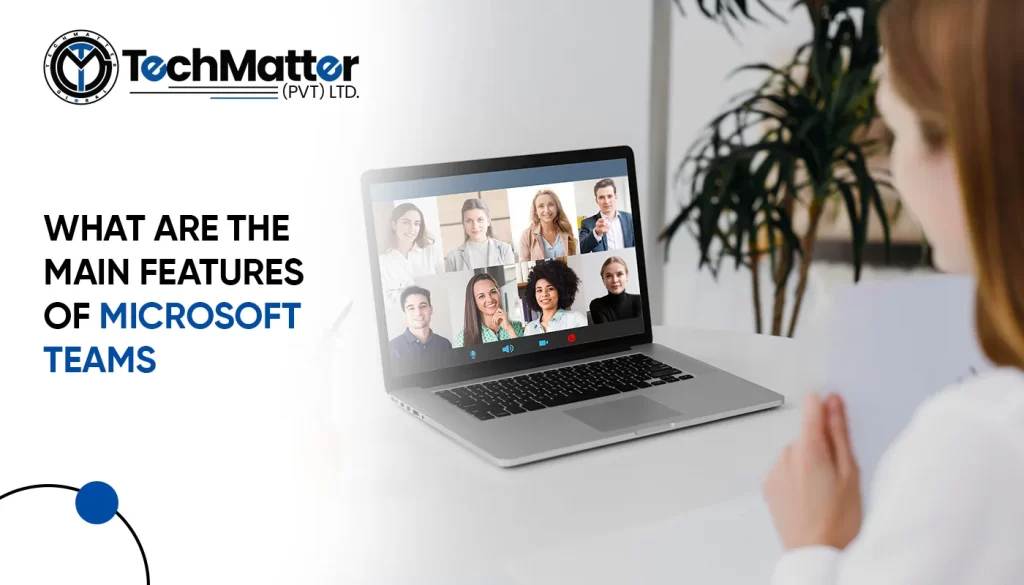
Microsoft Teams is a great collaboration tool for virtual meetings and remote work. It helps you communicate, collaborate, and manage projects easily. It also has strong data security measures.
Microsoft Teams’ instant messaging is significant. The chat pane lets team members send emoticons, GIFs, and files. Teams support documents, spreadsheets, presentations, and PDFs. Team members may share files without switching apps or email clients.
Microsoft Teams’ collaboration on document capability is crucial. Users may co-author documents in real-time using Teams, allowing numerous team members to collaborate on the same content simultaneously. With this function, teams may collaborate on projects, exchange ideas, and edit documents without sending them back and forth over email.
The Microsoft 365 app suite and Microsoft Teams are entirely linked. Users can now quickly access Word, Excel, PowerPoint, and other Microsoft programs within Teams. Teams also connect with more third-party programs, including Trello, Asana, and Adobe Creative Cloud.
Thanks to Microsoft Teams’ robust video conferencing features, teams may have virtual meetings from anywhere. Teams make it simple for team members to interact in real-time by supporting voice and video conversations. Teams also provide screen sharing, which enables users to show other team members their desktop, a particular application, or a single window. This function is quite helpful when demonstrating software or presenting information to a group.
Microsoft Teams also provides users with a user-friendly interface that they may modify to suit their requirements. Users can rearrange the Teams UI, pin crucial channels and conversations, and design unique backgrounds. This feature makes using the Teams platform easier and increases user productivity.
The dependable Microsoft 365 platform, which offers enterprise-level security and compliance capabilities, is the foundation for Microsoft Teams. Teams use multi-factor authentication, encryption, and other security procedures to ensure data security. Furthermore, Teams supports compliance standards like HIPAA, GDPR, and ISO 27001, making it a perfect alternative for businesses that must adhere to regulatory norms.
With this function, meeting participants may more easily view objects in their room, such as a whiteboard, book, or paper document. Additionally, it has a particular feature that makes your body, arm, or hand look somewhat translucent, whether in front of a whiteboard, another item, or a document.
A meeting summary may be found in the chat group automatically formed for the meeting once it has ended. Click the Chat icon in the Teams app’s left sidebar. Find the concluded meeting’s title in the second column, then click it. The meeting’s notes, files shared, and, if one was made, a video recording and transcription are all included in the recap box.
Meeting organizers and presenters might “spotlight” particular participants, as in the case of an all-company meeting when a select group of executives is regularly called upon. When you give someone the spotlight, everyone in the meeting sees their video stream prominently displayed, effectively pinning it to the top of the screen. There can be seven spotlights on at once.
Teams and Microsoft’s Whiteboard software have long allowed meeting attendees to collaborate on a virtual whiteboard. Team members may contribute text, photographs, diagrams, comments, doodles, and more to a board. More than 40 new templates, the ability to insert photos and documents, response icons, and various inking tool upgrades are just a few updates this program just received.
Breakout rooms are little conference rooms connected to a more extensive meeting. Most standard meeting amenities, including screen sharing, participant audio and video feeds, and a chat pane, are available in each breakout space.
Teams have traditionally provided written transcripts of recorded sessions that have concluded. AI-driven text captioning, another valuable feature that has been around for a while, reveals what meeting participants say in real-time. A recent live transcription feature combines the two functions and provides a Transcript sidebar displaying the meeting’s spoken content and speaker credit.
It is now possible to deliver a PowerPoint presentation in a meeting by choosing which slides to display rather than having to scroll through all of them. The slide shown to meeting attendees will appear in the center of your screen when the PowerPoint presentation has loaded, and a strip of thumbnails for additional slides will run down the bottom. Any thumbnail can be clicked to go straight to that slide.
Meeting attendees can convey to the host that they have a question or comment using the team’s “raise hand” option without interrupting the speaker. Microsoft created a keyboard shortcut to speed up this process in 2021.
Microsoft Teams get a SharePoint Online site with a default document library folder. This folder stores all shared files. Customize security and permissions for essential data.
Conclusion
In conclusion, Microsoft Teams is a robust platform for collaboration that provides various tools to facilitate better teamwork. It allows secure file sharing, project collaboration, and information transmission. Customers can also customize the platform to their needs. Due to its user-friendliness and vast features, Microsoft Teams is the perfect choice for all businesses.


IT Solutions and Managed Services Provider specializing in developing custom solutions.
 +1 (781) 667-5321
(021) 37447307
+1 (781) 667-5321
(021) 37447307
 info@techmatter.co
 100 N Brand Blvd Suite 522, Glendale, CA 91203, USA