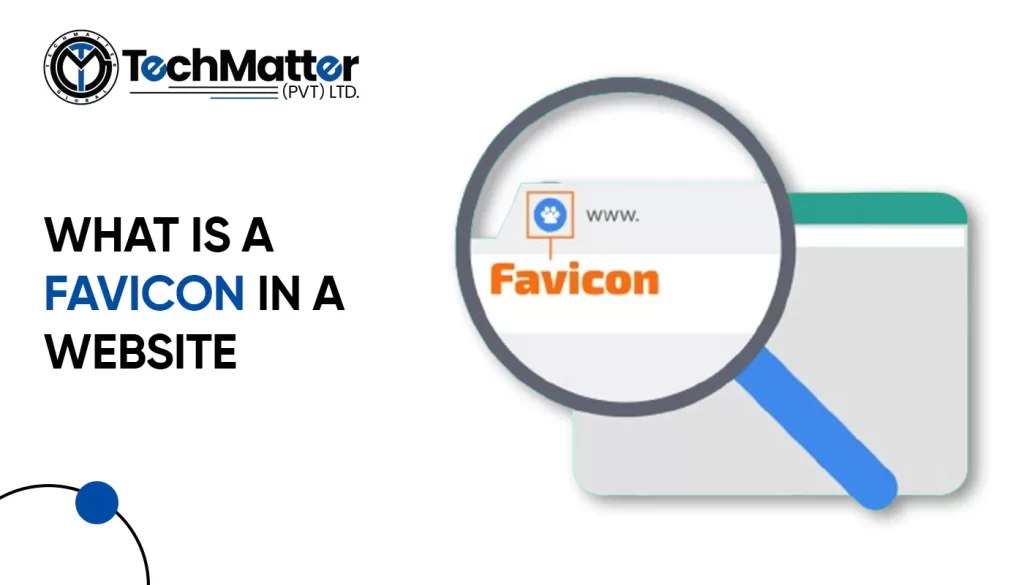
Imagine scrolling through your internet tabs, looking for a specific site. Among all those tabs, one catches your eye because it has a small, unique symbol next to the title.

It’s called a favicon, and it’s a big deal for your website!

In this guide, we’ll walk you through the easy steps to upload a favicon to your website. We’ll keep it simple, no complicated jargon here!

So, let’s get started on making your website stand out with its own special little icon!

What is Favicon?

Your website may become a fantastic piece of art with a few simple steps. A browser icon, or favicon, must be understood first. Well, my dear readers, “favicon” is short for “favorite icon,” also commonly known as a browser icon.

It’s also frequently known as a bookmark, shortcut, or website icon. It acts as a visual representation of a website’s central idea, making it instantly recognized and ingrained in the brains of its visitors.

Does my website need a favicon?

Certainly! Adding a favicon to your website is a great idea! It might seem like a small detail, but it can make a big difference. Think of it as putting the cherry on top of your website sundae. With a favicon, your site looks more polished and professional.

It’s like giving your website its own special logo. Plus, it helps people recognize your site more easily when they have lots of tabs open in their web browser. So, if you want to make your website stand out and leave a good impression on visitors, adding a favicon is definitely worth considering!

How to create a favicon for your website?

Let’s get started on making an eye-catching and remarkable Favicon for your website with the help of the following steps.

A simple guide to adding a favicon to your website

How to add upload favicon in an HTML website?

<link rel="icon" type="image/x-icon" href="favicon.ico">

<link rel="icon" type="image/x-icon" href="images/favicon.ico">

Manual Upload via FTP (advanced)

This method requires some technical knowledge and using an FTP client to access your website files. It’s not recommended for beginners, but here’s the basic process:

<link rel="shortcut icon" href="/favicon.ico" type="image/x-icon">

How to add upload favicon in a WordPress website?

This is the simplest and most recommended method for most users. Here’s how to do it:

How to add upload favicon in a Squarespace website?

  1. Log in to your Squarespace account.
  2. Navigate to the Design panel. You can find it in the left-hand menu in Squarespace 7.0 and newer versions, or under “Settings” in Squarespace 7.1.
  3. Scroll down to the “Browser Icon” section. This might be labelled as “Favicon” in older versions.
  4. Upload your favicon image. You have two options:
    • Drag and drop the image directly into the upload box.
    • Click the “Upload” button and select your image file from your computer.
  5. Click “Save.”

How to add upload favicon in a Shopify website?

  1. Go to your Shopify Admin Panel: Log in to your Shopify account and access the admin panel.
  2. Navigate to Themes: Click on “Online Store” in the left sidebar, then select “Themes”.
  3. Find your theme: Choose the theme you want to edit and click “Customize”.
  4. Access Theme Settings: In the theme editor, find the “Theme settings” tab and click on it.
  5. Locate the Favicon option: Depending on your theme, the favicon settings might be under different sections. Look for options like “Logo”, “Favicon”, or “Appearance”.
  6. Upload your favicon: Click on “Select image” or similar and choose your prepared favicon image from your computer.
  7. Save your changes: Click “Save” to update your theme with the new favicon.

How to add upload favicon in a Webflow website?

Test and verify

The most effective and smooth browsing experience is essential. Check your site’s favicon on various browsers and mobile devices. The browser cache can be deleted if required.

Kudos! Your website now has a personalized favicon that you designed and published. It will now be displayed in the browser tabs of site visitors, increasing brand awareness and familiarity among users.

Major Do’s and Don’ts While Creating a Favicon for Your Website

Let us understand the major do’s and don’ts for creating an appealing browser icon.

Summary

We have explored the fascinating world of browser icons and their enormous potential to make your website stand out in this thorough guide. You should know exactly what a browser icon is and how it may improve your online platform’s visibility and recognizability.

Mobile apps have transformed how we interact with the digital world, from simplifying tasks and enhancing productivity to providing entertainment and connectivity. Behind the scenes, however, lies a complex app Development process that demands meticulous planning, creativity, and technical expertise.

So, what does it take to create a successful mobile app? From conceptualization to design and development, many factors come together to deliver a seamless user experience.

Factors to Consider Before developing a mobile app

Creating a mobile app can be a wise course of action depending on your final goals and the specifics of your business or project. Some excellent factors in favor of creating a mobile app are outlined below.

  1. Select the Ideal Platform

You must choose the primary operating system for your application. Android and iOS are the two primary choices. Choose whether your software will be cross-platform to serve users of both iOS and Android or native, designed just for one OS.

Be sure that this choice will directly impact the functioning of your software and the likelihood of future development.

  1. Understanding Your Audience

You must learn successful app creation and promotion require knowledge of your target audience’s demographics, goals, behaviors, and preferred technology. Ensure that your App is customized to your target consumers’ wants and tastes so they can enjoy and keep using it.

  1. Validate Your App Concept

Before starting the development process, verify whether the application solves a problem or satisfies a requirement. If it occurs, think about how an answer will be offered.

If your App is intended for your organization, ensure it supports your business’s objectives and digital strategy. By outlining your App’s main goals and priorities, you can lay a solid basis for its development. 

  1. Market Awareness

Conduct a thorough search to ensure your app idea has yet to be implemented. Be careful to maintain the originality of your vision by creating an app to find that a comparable one is already on the market.

Especially if the App is intended for a business, make sure the strategy is distinctive and user-friendly. Learn how to differentiate your App from the alternatives by researching the market thoroughly.

  1. Strategic Planning

The design of your App is crucial to its success. Focus on making an intuitive interface that people will enjoy using. Accessibility and content presentation should also be high design priorities.

Security should also be a priority, as consumers often keep sensitive information and important data on their mobile devices. To provide users confidence in the security protections used by your App, implement strong data protection safeguards and privacy settings.

Benefits of Mobile App Requirements

At TechMatter, we understand that gathering detailed mobile app requirements is the foundation of every successful project. A well-defined requirements for the app Development process offer multiple advantages, including:

Why should you consider developing a Mobile App?

Nowadays, there is an app for everything! With billions of smartphone users worldwide, a mobile app may greatly increase your reach while providing an intuitive and responsive user experience that encourages client loyalty.

Push notifications on mobile apps also allow for real-time engagement, creating new opportunities for user engagement and income generation. They enable you to use device-specific capabilities and gather priceless user information for wise decision-making.

A well-designed mobile app may be a valuable tool for your business or project, encouraging growth and innovation in a world where accessibility and convenience are vital.

Types of Mobile App Development

There are various mobile app development methods and technologies. Let’s have a look at them.

Types Description
IOS App Development Creating mobile software, particularly for Apple’s product, is known as iOS app development. Apple gadgets, including the iPhone, iPad, iPod Touch, and Apple Watch, are included. The Apple App Store is where they are later released.
Android App Development This focuses on developing mobile apps for devices running the Android operating system, like iOS development does, frequently utilizing Java or Kotlin.
Fintech Mobile App Development The phrase “fintech” is a combination of finance and technology. These mobile applications are created to automate a variety of financial functions. 

In the present day of automation, financial industries like banking, budgeting, and blockchain greatly need this.


It is used more frequently by platforms like education, retail banking, the stock market, investment management, etc., in their daily operations.

Cross-Platform App Development With this method, you may use frameworks like React Native, Flutter, or Xamarin to create code once and release it across many platforms, including iOS, Android, and occasionally even the web.
Blockchain Mobile App Development In a blockchain, the entire network is informed if something occurs somewhere in the network. And everyone has access to save that data on their gadgets. 

Today, it offers enormous potential for many businesses, which is why the need for blockchain mobile app development is so great.

Hybrid App Development These programs incorporate features from both native and web applications, frequently utilizing HTML, CSS, and JavaScript inside of a native container. 

Developers add a single code bar for all platforms while making hybrid software. This enables anyone to write code and run the program on any operating system.

Native Mobile App Development To create an application, particularly for a single platform, use native app development. This type of application requires specific programming languages and tools. 

Java or Kotlin are needed to create native Android apps. Native iOS app development requires Objective-C and Swift.

 IoT Mobile App Development This refers to creating mobile apps that interface with and control IoT devices, such as smart thermostats, wearables, or home automation systems.
Windows Phone App Development Microsoft Windows devices, Lumia, Surface Pro, Nokia, and other mobile platforms are all supported by Windows Phone App Development. 

Popular Windows-based apps are becoming more prevalent for mobile users. Additionally, this platform runs some specialized software that is still in demand.

Though Windows Phone has lost popularity, some businesses still require apps for the Windows platform.

Augmented Reality Mobile App Development Users can utilize real-world objects to interact with virtual reality using (AR) technology. People will require an app to manage and control AR gadgets.
Wearable App Development Technology that can be carried on the body is known as wearable technology. Such software is often used today with all wearable technology, not only clothing.The fitness tracker, smart glass, and smartwatch are the most well-liked wearable technology.


What are the best platforms to develop mobile apps?

Your project’s needs and your development team’s skill set will determine which mobile app development platform is the best fit.

iOS (Apple)

Development Environment: iOS app development primarily uses Xcode, Apple’s official integrated development environment (IDE). Developers can write code in Swift or Objective-C.

  1. User Base

iOS’s committed and affluent user base attracts firms targeting high-income demographics.

  1. Monetization

The Apple App Store has a reputation for higher user spending, making it a lucrative platform for monetization through paid apps or in-app purchases.

  1. Hardware Integration

Security and privacy are Apple’s top priorities, which benefits sensitive data apps.

  1. Security

Security and privacy are Apple’s top priorities, which benefits sensitive data apps.

Android (Google)

  1. Development Environment:

The official Google IDE, Android Studio, develops Android apps. Developers can use Kotlin or Java.

  1. User Base

Android has a bigger global market share, making it ideal for apps targeting a diverse audience.

  1. Customization

Android is compatible with varied hardware and software ecosystems because of its adaptability and integration.

  1. Monetization

Advertising and in-app purchases can monetize Android consumers, who are more cost-conscious.

  1. Open Source

As an open-source platform, Android gives developers access to a large community and many libraries and tools.

Step-by-Step Process of Mobile App Development 2025

Like in previous years, a set of processes is typically performed during the development of a mobile app to ensure its success and proper operation. Following are the basic 8 steps:

  1. Create a team
  1. Carry out rival research
  1. List key characteristics
  1. Plan your app security
  1. Start coding
  1. Run numerous tests
  1. Launch in the app store
  1. After-launch assistance

Building up and maintaining the Mob App

A mobile app’s building and maintenance is a dynamic process with numerous crucial aspects.

Building phase

The first step in the development phase is to specify the App’s goal, target market, and features. Then, to visualize the user interface, app designers build wireframes and prototypes.

Programming languages like Java (for Android) or Swift (for iOS) are used by developers to create the code.

Maintenance phase

The maintenance phase starts as soon as the App is launched. According to user feedback and market trends, this entails routine updates to repair issues, enhance performance, and add new features.

Security upgrades are essential to safeguard user data and guarantee the App’s continued usability. The performance and user experience of the software are improved by tracking user metrics.

End Note

Mobile app development requires a clear concept, precise design, a competent development team, proper programming languages and tools, relevant APIs, thorough testing, and a strong marketing plan.

When used properly, these aspects can create successful, user-friendly mobile apps that meet specific objectives. Delivering high-quality mobile apps that can impact today’s competitive digital market requires following these guidelines.

FAQs

Why is it important to gather app requirements before development?

Collecting app requirements helps you avoid confusion and rework. It ensures everyone understands the project goals, leading to faster development, fewer errors, and a more successful final product.

How do mobile app requirements improve project efficiency?

Clear requirements make it easier to assign tasks, set timelines, and track progress. This leads to smoother project management and efficient collaboration between teams.

Do app requirements help improve user experience?

Yes, defining user personas and app goals early on helps create a design that meets user needs, resulting in a better interface and improved overall experience.

Can good requirements reduce development costs?

Absolutely. When you have detailed app requirements, you avoid unnecessary features and revisions, which saves both time and money during development.

What’s included in a mobile app requirements document?

A requirements document usually includes the app’s objectives, target audience, key features, design preferences, technical specifications, and any third-party integrations.

Scroll Down