Every successful company in today’s digital-first economy relies heavily on technology. The requirement for dependable, secure, and scalable IT infrastructure is unavoidable, regardless of the size of the company from small startups growing quickly to giant corporations managing sensitive data. That’s where Managed IT Solutions come into play.
At Techmatter Global, we provide cutting-edge IT support tailored to your unique business needs. Outsourcing to a trusted IT managed service provider like us doesn’t just solve tech problems—it drives real business growth.
1. Slash IT Costs Without Sacrificing Quality
Managing your IT in-house is expensive—salaries, training, hardware, software, and downtime all add up. By choosing managed IT solutions, you pay a predictable monthly fee for comprehensive support that fits your business. You get enterprise-level service without enterprise-level spending. At Techmatter Global, we help you cut costs and boost efficiency with IT that works hard without breaking the bank.
2. Tap Into World-Class Expertise Instantly
It’s not easy to hire and retain a top-tier IT team. But when you partner with a leading IT managed service provider, you get instant access to a team of certified professionals. We bring deep expertise in network management, cybersecurity, cloud solutions, and compliance all in one package.
3. Strengthen Your Cybersecurity Shield
Cybercrime isn’t a matter of “if” but “when.” Our managed IT solutions are built around security from the ground up. From real-time threat monitoring to firewall management and encrypted data backups, we keep your systems and customer data safe 24/7.
4. Keep Your Focus Where It Belongs: On Growth
Tech issues are time-sucking distractions. By outsourcing to a trusted IT managed service provider, your internal team can stay laser-focused on strategic goals, while we handle everything behind the scenes—from software updates to server uptime.
5. Scale Seamlessly, Anytime You Need
Whether you’re onboarding 10 or 1,000 new users, moving to the cloud, or launching new services, we make sure your technology keeps pace. Our managed IT solutions are designed to scale with your needs no drama, no downtime.
6. Experience 24/7/365 Support and Monitoring
When you sleep, we don’t. With 24/7 monitoring and on-call support, we make sure your systems are always online and performing. Downtime? Not on our watch. We’re the silent guardians of your IT infrastructure.
7. Prevent Problems Before They Happen
We address problems before they arise rather of waiting for them to cause mayhem. Regular system upgrades, performance evaluations, and real-time warnings are all part of our proactive maintenance strategy. Our managed IT solutions are like having an always-on early warning system.
8. Stay on the Cutting Edge of Tech
Keeping up with technology is overwhelming. We make it effortless. Our team continuously integrates the latest hardware, software, and cloud innovations without interrupting your operations. As your IT managed service provider, we future-proof your infrastructure so you stay competitive and relevant.
9. Stay Compliant Without the Headache
From GDPR to HIPAA to PCI-DSS, compliance can be a minefield. We make sure your systems meet all necessary regulatory requirements, and we stay up to date with evolving rules so you don’t have to. Techmatter Global delivers compliance peace of mind.
10. Boost Productivity Across Every Department
When tech works, people thrive. Our managed IT solutions streamline workflows, eliminate IT bottlenecks, and enable your team to work faster and smarter. Less downtime, more uptime resulting in measurable improvements in productivity and morale. Your team deserves IT that empowers not hinders them.
Why Choose Techmatter Global as Your IT Partner?
We’re not just a vendor—we’re your growth partner. We don’t offer cookie-cutter packages. Every client engagement begins with understanding your goals, challenges, and tech landscape. Then, we build a custom solution that gets results.
As a top-tier IT managed service provider, Techmatter Global is committed to helping your business thrive through scalable, secure, and efficient IT systems. Save time, reduce costs, and stay ahead of the tech curve? Contact Techmatter Global now to schedule your consultation today.
Managed IT services refer to outsourcing your company’s IT operations to a third-party provider. These providers, known as Managed Service Providers (MSPs), are responsible for managing and maintaining your IT systems. From handling software updates to offering cybersecurity measures, MSPs deliver a range of services tailored to the needs of businesses of all sizes.
But why are more companies turning to managed IT services? The simple answer is the vast array of benefits they offer. Let’s explore these in detail.
- Cost Savings and Predictable Budgeting
- Access to Expert Knowledge
- Proactive Monitoring and Maintenance
- Enhanced Security
- Scalability and Flexibility
- Focus on Core Business Functions
- Minimizing Downtime and Improving Efficiency
- Data Backup and Disaster Recovery
- Compliance with Industry Regulations
- Customization of Services
- 24/7 Support and Availability
- Access to the Latest Technology
- Conclusion
Cost Savings and Predictable Budgeting
- Reducing Upfront Costs for IT Infrastructure
Putting resources into in-house IT foundation can be an costly venture. Buying servers, organizing hardware, and programming licenses adds up rapidly. By picking oversaw IT administrations, organizations can move from strong capital consumptions to reasonable functional costs. Rather than purchasing equipment, the specialist organization normally handles everything, and you pay an anticipated month to month expense.
- Shifting to a Predictable, Monthly Expense
With managed IT services, budgeting becomes easier. No more surprise costs or sudden investments for repairs and updates. The monthly fee ensures you know what to expect, making financial planning more straightforward and helping businesses avoid unplanned expenses.
Access to Expert Knowledge
- Working with Certified IT Professionals
One of the standout advantages of managed IT administrations is the expertise you get close enough to. MSPs utilize groups of guaranteed experts who have some expertise in different parts of IT, such as systems administration, security, and distributed computing. This degree of ability is difficult to repeat inside without a huge interest in training.
- Specialized Knowledge Across Different Industries
Various businesses have novel IT needs. Whether you’re in medical care, money, or retail, MSPs frequently have specific information in your field. This implies they can furnish customized arrangements that line up with industry best practices and administrative necessities.
Proactive Monitoring and Maintenance
- Constant Surveillance of IT Systems
Managed IT administrations give consistent checking of your frameworks, recognizing likely issues before they become serious issues. This proactive methodology guarantees that minor issues tend to be addressed rapidly, keeping them from growing into expensive fixes or delayed margin time.
- Early Detection and Resolution of Potential Issues
With nonstop checking, MSPs can distinguish and fix issues continuously. This lessens the gamble of business interferences and guarantees that your IT frameworks are continuously performing at their best.
Enhanced Security
- Protecting Sensitive Business Data
In today’s digital age, cyberattacks are a real threat. MSPs provide enhanced security features such as firewalls, intrusion detection systems, and advanced encryption to protect your sensitive business data from potential breaches.
- Regular Updates and Patch Management
Obsolete programming is a typical objective for cybercriminals. Managed IT services ensure that all your systems and applications receive regular updates and patches, reducing the risk of vulnerabilities and attacks.
Scalability and Flexibility
- Adapting to Business Growth or Downsizing
One of the extraordinary benefits of managed IT administrations is the capacity to scale your IT foundation as your business develops or cuts back. Whether you want more server space or extra clients, MSPs can adjust your administrations in like manner.
- Easily Adding or Removing Services
MSPs offer flexible contracts, allowing you to add or remove services as needed. This flexibility is invaluable for businesses in dynamic industries where needs can change quickly.
Focus on Core Business Functions
- Freeing Up Internal Resources
When you rethink IT tasks to a managed service provider, your in-house group is allowed to zero in on additional essential drives. They never again need to manage everyday IT cerebral pains and can focus on developing the business.
- Focusing Teams on Key Business Activities
Managed IT services let loose your workers to focus on their center liabilities, bringing about expanded efficiency and productivity.
Minimizing Downtime and Improving Efficiency
- Fast Response Times and Minimizing Disruptions
Downtime can be expensive. Managed IT services ensure quick issue resolution to minimize disruptions. Fast response times reduce the risk of extended outages, keeping systems running smoothly.
- Improving Overall Business Efficiency
Proactive management of IT leads to fewer disruptions and smoother workflows, resulting in enhanced overall efficiency for your business. This helps you remain competitive in a fast-paced market.
Data Backup and Disaster Recovery
- Securing Critical Business Data
In case of a framework failure or cyberattack, it is vital to have dependable reinforcements. Overseen IT administrations guarantee that your information is routinely supported and put away safely.
- Quick Recovery from Unexpected Disasters
Should disaster strike, MSPs can assist your business with recuperating rapidly with negligible information misfortune, guaranteeing progression in your activities and safeguarding your main concern.
Compliance with Industry Regulations
- Meeting Regulatory Standards
Numerous businesses are dependent upon severe administrative guidelines. Managed IT administrations guarantee that your business conforms to these guidelines, assisting you with staying away from expensive fines or lawful entanglements.
- Avoiding Fines and Legal Complications
By keeping your systems updated and secure, MSPs help you stay on the right side of industry regulations, reducing the risk of compliance issues.
Customization of Services
- Tailoring Services to Meet Specific Business Needs
Overseen IT administrations aren’t one-size-fits-all. MSPs work with you to alter their contributions to meet your particular business needs, guaranteeing that you get the most worth out of the organization.
- Offering Flexibility for Various Industries
Whether you run a little startup or a huge partnership, oversaw IT administrations offer the adaptability expected to take care of organizations of all sizes and businesses.
24/7 Support and Availability
- Round-the-Clock Assistance
MSPs give all day, every day support, so in the event that any issues emerge, they can be tended to right away. This sort of nonstop help guarantees that your business keeps awake and running consistently.
- No More Waiting for Regular Business Hours
Gone are the times of hanging tight for IT support during standard business hours. With oversaw IT administrations, help is only a call away, regardless of the hour of the day.
Access to the Latest Technology
- Staying Updated with the Latest IT Advancements
MSPs approach the most recent IT progressions and instruments, permitting your business to remain on the ball without the requirement for consistent redesigns or new ventures.
- Integrating New Tools Seamlessly
Overseen IT suppliers can likewise help flawlessly incorporate new innovations into your current frameworks, guaranteeing a smooth change and insignificant disturbance.
Conclusion
Picking managed IT services can incredibly upgrade the proficiency, security, and adaptability of your business, permitting you to zero in on what you specialize in. With the backing of an MSP, you can have confidence that your IT needs are safe and sound. Whether your point is to bring down costs, help security, or remain in front of the opposition, oversaw IT administrations can offer vital help for your prosperity.
SAP’s vigorous and comprehensive business applications make it a significant player. Regarding the vast array of options available in the world of enterprise resource planning (ERP), two names consistently rise to the top: SAP ERP and its predecessor, SAP ECC (ERP Central Component).
This blog will delve into both offerings, providing you with a comprehensive analysis and detailed information.
Understanding SAP ERP
Key Takeaways:
- A highly dependable and stable ERP solution, SAP ECC has shown its dependability in a variety of industries.
- Though they refer to SAP, SAP ECC, and SAP ERP have their own unique features and architecture.
- In comparison to SAP ECC, which is more recent, SAP ERP offers better features and functionalities.
- A more intuitive user interface, simpler data models, and other advantages come with switching from SAP ECC to SAP S/4HANA.
- When implementing SAP S/4HANA, businesses must take a number of factors into account.
What does SAP ERP mean?
SAP ERP is an acronym for Systems, Applications, and Products in Enterprise Resource Planning. The German behemoth SAP developed this software tool to assist companies in managing their business operations.
What are SAP ERP functions?
The system’s numerous functional areas include finance, human resources, supply chain management, and CRM. Providing current information across departments simplifies processes, boosts productivity, and helps with decision-making.
- Financial Management: It can manage accounting, financial planning, budgeting, and cash flow management.
- Human Capital Management (HCM): Organizations may use this module to simplify their HR procedures, such as hiring, payroll, talent management, and workforce planning.
- Supply Chain Management (SCM): The administration of the whole supply chain, including procurement, inventory control, production scheduling, and logistics, is made more accessible.
- Sales and Distribution (SD): Businesses may successfully manage their sales operations due to this function, which includes order management, pricing, billing, and customer relationship management.
- Material Management (MM): The handling of materials, including procurement, inventory control, and warehouse management, is the main focus of the MM module.
- Production Planning: It offers production planning and control capabilities, enabling organizations to streamline their manufacturing procedures and effectively manage resources.
- Quality Management: By controlling quality inspections, control procedures, and monitoring quality-related data; this helps companies maintain quality standards.
- Plant Maintenance: Preventive maintenance, repair orders, and equipment tracking are all part of how it helps manage the care of structures, machinery, and assets.
- Project Management: With tools for project planning, execution, and monitoring, it enables businesses to monitor project progress, assign resources, and control project expenses.
- Reporting and Analytics: Due to the software’s extensive reporting and analytics features, businesses can produce insights, analyze data, and make wise decisions.
Benefits of SAP ERP:
Some key benefits are given as under:
- Integration and Centralization: A wide range of business operations, including finance, sales, procurement, production, and human resources, are covered by a complete suite of integrated modules offered. This integration enhances overall efficiency by enabling centralized data administration and facilitating smooth information flow across several departments.
- Streamlined Processes: Standardized procedures based on industry best practices are provided. Organizations may improve their workflow consistency, minimize unnecessary jobs, and simplify their operations using these practices.
- Real-time Analytics: Businesses can receive immediate insights into their operations because of the robust reporting and analytics tools it provides. This promotes resource allocation that is more effective, more informed decision-making, and better overall business performance.
- Scalability and Flexibility: Its scalability should expand with the company’s growth. It can accommodate large and small enterprises. The system may also be modified to meet specific business needs, giving it flexibility in adjusting to unique procedures.
Understanding SAP ECC
What is meant by ECC in SAP?
ECC stands for ERP Central Component in Systems, Applications, and Products. The primary part of Systems, Applications, and Product enterprise resource planning (ERP) software is called SAP ECC. It offers included capabilities to control different business operations.
What is the function of SAP ECC?
It has a range of modules and features that could be altered to meet the particular needs of various businesses and groups. Here are some essential functions and features it has:
- Key functionalities: Key modules and abilities for corporate business operations are offered. Finance, purchasing, sales, production, HR, and other operational sectors are also addressed. These modules optimize resource management and decision-making.
- Data management: Data management solutions allow businesses to store, manage, and analyze massive datasets. A central data repository enables data consistency across many functional areas. This integrated data structure offers real-time reporting, analytics, and informed decision-making.
- System integration: It integrates company systems and processes. Thus, cross-functional collaboration improves, and data silos eliminate. It facilitates module and external application data transfer. Its integration features enable complete operational visibility and control.
- Customization and flexibility: It offers various customization possibilities to adapt the system to meet unique company needs. Organizations can tailor the system’s settings, workflows, and procedures to suit their requirements. Due to its flexibility, it can accommodate many industry sectors and company structures.
- Industry-specific functionality: Its add-on modules provide capabilities tailored to specific sectors. These modules address the specialized needs of several sectors, including manufacturing, retail, healthcare, utilities, and more. Organizations may enhance operations and comply with laws by utilizing industry-specific capabilities and best practices.
- System stability: It has a long history of successful ERP implementations across industries. Its extensive testing, upgrades, and improvements make it a reliable business ERP system. Additionally, its stability ensures efficiency and reduces system issues.
Benefits of SAP ECC
Here are some of the key benefits of SAP ECC:
- Guaranteed Stability and Reliability: It has been a popular ERP solution for many years and has demonstrated its stability and dependability in multiple businesses across numerous sectors. It is renowned for its adaptability in managing complicated business operations and has a fully developed set of functions.
- Large-Scale Functionality: Various modules and features cover the essential capabilities most businesses need. These modules cover multiple topics, such as human resource management, sales and distribution, materials management, and production scheduling. Its broad capability meets a range of business objectives.
- Strong Community Support: A large and active user and development community supports, informs, and develops the ecosystem. Organizations adopting it may benefit from this community support since it assures access to information, best practices, and professional guidance.
- Smooth Transition to SAP S/4HANA: SAP The migration to SAP S/4HANA, the company’s next-generation ERP system, is based on ECC. When migrating to SAP S/4HANA, businesses utilizing SAP ECC may use their current investments and expertise, resulting in a more straightforward and productive transition.
- Business Intelligence (BI) and Reporting: Robust BI features are included, enabling users to build insightful reports, dashboards, and visualizations. This makes it easier for businesses to make data-driven decisions and allows them to notice trends, seize opportunities, and resolve problems more efficiently.
Is SAP ERP the same as SAP ECC?
Both the terms are related to SAP but not the same. The distinctions between both terms are given as under:
| Features | SAP ERP | SAP ECC | |
| Architecture | Service-oriented architecture with independent, interchangeable modules.
Uses web services and SOA principles. |
Monolithic architecture with tightly coupled modules.
Modules are dependent on a central database. |
|
| Functionality | A broad ERP application suite covers multiple functions like finance, HR, supply chain, customer relationship, etc.
Additional industry-specific solutions are available. |
Focused on core ERP functions like finance and logistics.
Limited industry-specific solutions. |
|
| User Experience | Modern, intuitive user interface with web-based tools
Mobile access available |
Older, less intuitive user interface.
Limited mobile access. |
|
| Scalability and flexibility | Highly scalable due to modular architecture.
It can be adapted to specific business needs. |
Less scalable due to monolithic architecture.
Difficult to adapt to specific business needs. |
|
| Integration Capabilities | Extensive out-of-the-box integration with 3rd party applications using standard interfaces.
Easier to customize integrations. |
Limited integration with 3rd party applications.
Difficult and costly to customize integrations. |
|
Why upgrade from SAP ECC to S/4 Hana?
Upgrades include rapid analytics speed, simplified data models, improved user experience, and modern technologies like machine learning and Internet of Things integration. It improves productivity and gives firms a digital edge. However, here are some of the critical migration causes.
Reasons to Migrate
S/4HANA provides a more user-friendly, cutting-edge, and intuitive user interface than ECC. By doing so, productivity rises, and user training time is reduced.
It improves system responsiveness and performance using in-memory computing to accelerate data processing and real-time analytics. It reduces the number of procedures and increases productivity by introducing a simpler data model.
Because it interacts with various platforms, businesses may employ emerging technologies like machine learning, artificial intelligence, and the Internet of Things (IoT) for innovation and competitive advantage. By moving to S/4HANA, SAP’s strategic platform for the future, businesses can take advantage of ongoing innovation, stay on track with SAP’s strategy, and profit from future advancements.
Challenges and Considerations
When migrating, several difficulties and challenges must be considered. Improved real-time data processing, better analytics, simpler data models, better system performance, and the capacity to make use of modern technologies like artificial intelligence and machine learning are some of these. Organizations may become more agile, efficient, and innovative by migrating to S4 Hana.
Benefits of Migrating to SAP S/4HANA
SAP S/4HANA offers various benefits that enhance the user experience and improve overall operational efficiency. Its intuitive and modern interface boosts productivity and user happiness.
Its in-memory computing capabilities enable real-time data access and analysis for speedier decision-making. It also simplifies IT by integrating systems and databases into a single platform, enabling more efficient operations. Additionally, the in-memory computing technology results in faster performance, accelerating data processing, reporting, and transaction processing.
Lastly, it improves visibility by providing a unified view of enterprise data, integrating various business functions, and enabling better insights into operations, finances, and supply chains.
Conclusion:
It is suggested to keep in mind that both these terms are two variants of the same software. While SAP ECC is an older edition, SAP ERP is the newer, more modern version. In comparison, SAP ERP offers improved features and functionality, making it a more reliable and complete option for businesses.
Microsoft Teams is a great collaboration tool for virtual meetings and remote work. It helps you communicate, collaborate, and manage projects easily. It also has strong data security measures.
Some features of Microsoft Teams
- File Sharing and Instant Messaging
Microsoft Teams’ instant messaging is significant. The chat pane lets team members send emoticons, GIFs, and files. Teams support documents, spreadsheets, presentations, and PDFs. Team members may share files without switching apps or email clients.
- Collaboration on Documents
Microsoft Teams’ collaboration on document capability is crucial. Users may co-author documents in real-time using Teams, allowing numerous team members to collaborate on the same content simultaneously. With this function, teams may collaborate on projects, exchange ideas, and edit documents without sending them back and forth over email.
- Merge with Microsoft 365
The Microsoft 365 app suite and Microsoft Teams are entirely linked. Users can now quickly access Word, Excel, PowerPoint, and other Microsoft programs within Teams. Teams also connect with more third-party programs, including Trello, Asana, and Adobe Creative Cloud.
- Video Conferencing and Screen Sharing
Thanks to Microsoft Teams’ robust video conferencing features, teams may have virtual meetings from anywhere. Teams make it simple for team members to interact in real-time by supporting voice and video conversations. Teams also provide screen sharing, which enables users to show other team members their desktop, a particular application, or a single window. This function is quite helpful when demonstrating software or presenting information to a group.
- Personalized Interface
Microsoft Teams also provides users with a user-friendly interface that they may modify to suit their requirements. Users can rearrange the Teams UI, pin crucial channels and conversations, and design unique backgrounds. This feature makes using the Teams platform easier and increases user productivity.
- Security and Compliance
The dependable Microsoft 365 platform, which offers enterprise-level security and compliance capabilities, is the foundation for Microsoft Teams. Teams use multi-factor authentication, encryption, and other security procedures to ensure data security. Furthermore, Teams supports compliance standards like HIPAA, GDPR, and ISO 27001, making it a perfect alternative for businesses that must adhere to regulatory norms.
- Content from Camera
With this function, meeting participants may more easily view objects in their room, such as a whiteboard, book, or paper document. Additionally, it has a particular feature that makes your body, arm, or hand look somewhat translucent, whether in front of a whiteboard, another item, or a document.
- Recap Box Feature
A meeting summary may be found in the chat group automatically formed for the meeting once it has ended. Click the Chat icon in the Teams app’s left sidebar. Find the concluded meeting’s title in the second column, then click it. The meeting’s notes, files shared, and, if one was made, a video recording and transcription are all included in the recap box.
- Spotlighting People
Meeting organizers and presenters might “spotlight” particular participants, as in the case of an all-company meeting when a select group of executives is regularly called upon. When you give someone the spotlight, everyone in the meeting sees their video stream prominently displayed, effectively pinning it to the top of the screen. There can be seven spotlights on at once.
- Improved Whiteboard
Teams and Microsoft’s Whiteboard software have long allowed meeting attendees to collaborate on a virtual whiteboard. Team members may contribute text, photographs, diagrams, comments, doodles, and more to a board. More than 40 new templates, the ability to insert photos and documents, response icons, and various inking tool upgrades are just a few updates this program just received.
- Breakout Rooms
Breakout rooms are little conference rooms connected to a more extensive meeting. Most standard meeting amenities, including screen sharing, participant audio and video feeds, and a chat pane, are available in each breakout space.
- Live Transcription
Teams have traditionally provided written transcripts of recorded sessions that have concluded. AI-driven text captioning, another valuable feature that has been around for a while, reveals what meeting participants say in real-time. A recent live transcription feature combines the two functions and provides a Transcript sidebar displaying the meeting’s spoken content and speaker credit.
- PowerPoint Grid View and More
It is now possible to deliver a PowerPoint presentation in a meeting by choosing which slides to display rather than having to scroll through all of them. The slide shown to meeting attendees will appear in the center of your screen when the PowerPoint presentation has loaded, and a strip of thumbnails for additional slides will run down the bottom. Any thumbnail can be clicked to go straight to that slide.
- Keyboard Shortcuts for Virtual Hand Raising
Meeting attendees can convey to the host that they have a question or comment using the team’s “raise hand” option without interrupting the speaker. Microsoft created a keyboard shortcut to speed up this process in 2021.
- Document storage in SharePoint
Microsoft Teams get a SharePoint Online site with a default document library folder. This folder stores all shared files. Customize security and permissions for essential data.
Conclusion
In conclusion, Microsoft Teams is a robust platform for collaboration that provides various tools to facilitate better teamwork. It allows secure file sharing, project collaboration, and information transmission. Customers can also customize the platform to their needs. Due to its user-friendliness and vast features, Microsoft Teams is the perfect choice for all businesses.
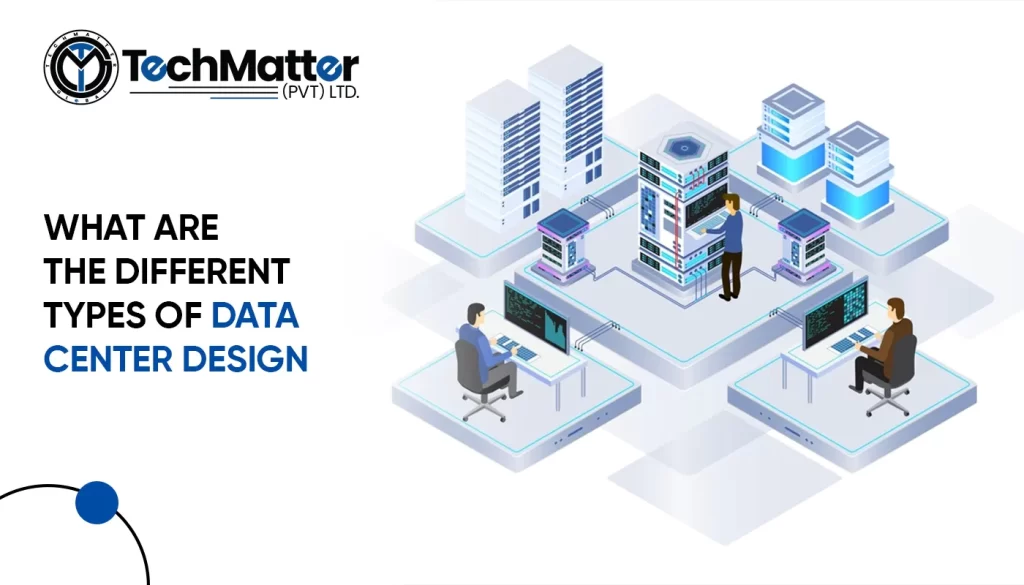
Businesses and other organizations rely on data centers to maintain their IT infrastructure and shelter and administer IT resources. Data centers must be built to accommodate the growing needs of contemporary computing as technology advances. The appropriate architecture for a data center may guarantee top performance and efficiency while keeping costs down. This article examines various designs and their pros and cons. We will also discuss what type is suitable for your business type.
Different Types of Data Center Design
01. Traditional Data Center Design
The traditional data center is on-premises, meaning its features are physically located within a company’s workplace. It might be as little as a few computers beneath a desk, as large as an entire building loaded with blade servers in a climate-controlled room.
Characteristics and Components of a Traditional Data Center
These are constructed using a three-tier infrastructure, with discrete blocks of computing, storage, and network resources allotted to support different applications. The three layers are integrated into a single building unit called a node in a hyper-converged infrastructure (HCI). A pool of resources that a software layer can handle can be created by combining many nodes.
Servers, firewalls, routers, storage systems, switches, and cybersecurity systems are frequently essential components in every data center. Servers are a fundamental element that all designs of architecture share.
Advantages and Disadvantages of this Design
| Advantages | Disadvantages |
|---|---|
| Security and Control: provide a high degree of infrastructure and data security and management. | High Expenditure: Creating and maintaining involves significant upfront capital expenditure. |
| Customizability: Organizations are free to modify and set up their infrastructure per their own requirements. | Limited Scalability: Possess a limited capacity for scalability, necessitating businesses to plan for future development and invest in surplus capacity. |
| Familiarity and Skill Set: The best practices and knowledgeable employees for this technology are readily available to organizations. | Disaster Recovery: Organizations must invest in redundant systems and backup solutions to reduce the risk of data loss or downtime due to unanticipated circumstances. |
| Disaster Recovery: Organizations must invest in redundant systems and backup solutions to reduce the risk of data loss or downtime due to unanticipated circumstances. | Energy Consumption: This usually requires a lot of energy to power and cool the infrastructure. |
| Data Storage: They can process and store data worldwide while remaining subject to local privacy laws, whether on their premises. | Time-Consuming: Establishing it from scratch can be a time-consuming process. |
02. Modular Data Center Design
An upgraded version of a traditional approach. This design is a portable collection of capacity components such as; servers, storage, and networking.
Benefits and Flexibility Offered by a Modular Design Approach
There are several benefits of a modular approach to offer flexibility to businesses. Modular design improves readability, maintainability, reliability, and quality. Parallel and collaborative work and module reuse can boost development productivity. The flexibility involves modules that can be sent to be incorporated, retrofitted, or merged into any system.
Different Modular Designs
3 designs in the modular center approach are listed below:
- Container: These are “all-in-one” prefabricated data halls built in standard elements. These units contain facility structures, IT equipment, electricity infrastructure, and cooling systems.
- Prefabricated data halls: In the more significant facility, data halls are frequently leased to just one customer who may have differing reliability or power density needs. Prefabricated data halls can be added to the facility over time in wholesale and hyper-scale data centers that use a phased construction model, depending on their own need or demand from customers.
- Prefabricated power & cooling modules: Prefabricated power and cooling modules comprise a whole cooling or power system designed, integrated, and tested before construction. These cooling and power modules are delivered to an architecture fully assembled and ready for use.
Let’s have a look at how modular design assists in facilitating the following:
Modular Designs in Facilitating Scalability: The capacity to add or remove modules from a modular design facilitates scalability, making it easier to extend or alter systems.
Modular Designs in Facilitating Cost-efficiency: These designs use standardized components to speed up the design and building process while reducing costs.
Modular Designs in Facilitating Rapid Deployment
Modular data centers speed up deployment times and improve flexibility by pre-configuring and integrating components.
Examples of Successful Implementation of Modular Data Centers
Three real-life implementations are provided below:
- Facebook’s Prineville Data Center
In their Prineville facility, which is located in Oregon, the United States, Facebook created modular data centers. These data centers are constructed as discrete modules that may be added or eliminated depending on the needs of the business. The modular structure makes scaling up and deploying more computer power simple.
- Microsoft’s Project Natick
Microsoft’s Project Natick aims to create modular data centers. These data centers are located underwater in specially constructed containers. Utilizing the water’s inherent cooling abilities, this new method boosts efficiency while consuming less energy.
- Huawei’s Fusion Module
Fusion Module, a modular infrastructure solution from Huawei, provides high-density computing in a small package. These data centers may be quickly set up and customized to fit specific needs. The modular design provides for greater energy efficiency and practical space usage.
03. Colocation Data Center Design
Like a cloud-based deployment approach, a company leases space from a third-party provider. In contrast to the cloud, a firm’s servers and network infrastructure are privately owned and managed by that company.
Advantages of Colocation
Usually, redundant power and internet connections are provided. For disaster recovery, colocation companies could provide mirrored data centers. Colocation providers frequently offer High-end physical security features, which may be expensive for an internal design.
Different Models of Colocation
Retail, wholesale, and hybrid cloud-based colocation are the three primary categories of a colocation facility.
- Retail Colocation
When you lease space for retail colocation, you generally rent a rack, a section inside a rack, or your caged-off room inside the infrastructure.
- Wholesale Colocation
Wholesale colocation offers space at a reduced cost. Because of this, the data center’s power and space to run your equipment are less than what the it would offer to a retail customer.
- Cloud-based Hybrid Colocation
Combining your data center space with space you rent from another is called hybrid cloud colocation.
Key Features Provided by Colocation Approach
Businesses can leverage critical features and services such as scalable power and cooling solutions, redundant network connectivity, physical security measures, and 24/7 monitoring and support to relieve the burden of managing their own data centers.
04. Hyperscale Data Center Design
A hyper-scale is a crucial infrastructure accommodating robust and scalable workloads. Large businesses with significant data processing and storage needs, including Google, Amazon, Microsoft, Facebook, and Apple, are frequently linked to hyper-scale designs.
Challenges of Hyperscale Approach
There are some challenges associated with the hyper-scale approach.
Continuity and dependability are two of the greatest challenges that hyper-scale infrastructures encounter. These words are frequently used in service or “uptime” contexts. The more consistent and reliable the service is, the greater the reliability.
Benefits of the Hyperscale Approach
Hyperscale approach can accommodate more servers than traditional approach, making it simple to disperse workloads over several systems and prevent overheating of a single server, increased energy effectiveness. Large-scale hyper-scale designs may use a lot of power.
Example of Hyperscale Architecture and Its Impact on the IT Industry
AWS has several hyper-scale architectures worldwide, including big ones in Northern Virginia. They have transformed the IT industry by providing on-demand computing capabilities that allow organizations to overgrow and accelerate the creation of cloud-based apps and services.
05. Edge Data Center Design
Edge computing is a distributed information technology (IT) architecture where customer data is handled at the network’s edge, as near the original source as feasible.
Growing Importance of Edge Approach
In today’s technological landscape, it holds great importance. Organizations can process data locally instead of sending it to a centralized location, enhancing application performance, cost savings, and response times.
Different Types of Edge Architecture
This design come in two primary categories. The first is a modest facility that a service or colocation provider uses to serve secondary sites. At the same time, the second is a modularized site located close to the edge of an organization’s leading network.
Advantages of Edge Approach in Reducing Latency and Supporting Real-time Applications
It significantly improves latency reduction and support for real-time applications by putting computer resources closer to the end users. Due to the reduced network traffic and quicker data processing made possible by this proximity, reaction times are shorter, and latency is decreased.
Challenges of Edge Design
Here are some challenges to that you may know before choosing an edge design for your business:
- The construction of an efficient and compact infrastructure is required due to the limited space and electricity available at edge locations.
- Ensuring strong network performance and dependable connection to enable edge applications and services.
- Putting in place robust security procedures to safeguard infrastructure and data at distant edge sites.
Conclusion:
If businesses want to create an adequate IT infrastructure, they must have a solid understanding of the various kinds of designs. Companies can ensure that their systems operate effectively, are efficient, and readily grow as needed by carefully reviewing and selecting the best design. This results in more efficient operations and allows the company to expand successfully.
Since firewalls protect networks, administrators must understand their benefits and drawbacks. We’ll evaluate firewall types, features, and limitations for you to obtain complete knowledge regarding the topic. By coming towards the end of this article, you will know more about firewalls and how to utilize them to safeguard your network. So, let’s get started!
What is a Firewall?
A firewall is a network security tool that monitors all data entering and leaving an organization’s network and alters it following specific regulations. In the simplest form, a firewall is a security mechanism that prevents unwanted Internet access to a private network.
What are the features of Firewalls?
It is a barrier between Internet-like external and trusted internal networks. Several typical but significant characteristics of a firewall include:
- Packet filtering
Every network packet that travels through a firewall is examined and filtered according to rules. After inspecting the packet headers for details such as source and destination IP addresses, protocols, and ports, it determines whether to accept or block the packet.
- Stateful inspection
A stateful firewall allows packets that are part of connections that are already formed and maintains track of the status of network connections. It checks the packet headers and content to match the expected connection status.
- Application-level gateway
Client applications and distant servers are connected through an application-level gateway, also referred to as a proxy firewall. It analyzes HTTP, FTP, or SMTP application-layer traffic and applies specific security policies to every application.
- Network Address Translation (NAT)
A firewall with NAT capability converts local network IP addresses into Internet-accessible public IP addresses. Thus, private network devices can share a public IP address.
- Virtual private network (VPN) support
Secure remote access to a private network over the Internet is made possible by firewalls that accept VPNs. Encrypting traffic between the distant user and the private network protects data from eavesdropping and tampering.
- Intrusion prevention
Some firewalls have an intrusion prevention system (IPS) that actively scans network traffic for indications of attempted intrusions or malicious activity. It can offer comprehensive information about the assault and prevent or notify administrators of questionable traffic.
- Logging and reporting
A firewall can record all network traffic, including blocked, approved, and attack or configuration modifications. Forensic analysis, auditing, and troubleshooting employ these logs.
- Intrusion prevention
A network security tool called intrusion prevention may identify and stop malicious activity on a network. It analyzes network traffic for possible risks like malware, viruses, or unwanted access attempts. The intrusion prevention system (IPS) intervenes whenever a danger is identified to stop the traffic before it reaches its intended destination.
- Content filtering
A method known as content filtering filters web content to prevent access to particular websites or groups of websites. It identifies the content by examining the URLs, web pages, or other network traffic and comparing it to a list of blocked websites or groups. The content is prohibited, and the user cannot access it if it fulfills the criteria on the block list.
- Bandwidth management:
A system known as bandwidth management manages network traffic to guarantee that vital applications have enough bandwidth. It prioritizes traffic based on specified rules and regulations to ensure that critical applications, such as VoIP, video conferencing, or business-critical apps, obtain the appropriate bandwidth to operate correctly.
Now Let’s go on to examine the limitations of firewalls.
What are the limitations of Firewalls?
Firewalls are crucial security solutions to secure computer networks from unauthorized access and harmful attacks. However, users should be aware of a few limitations they have.
- Inability to detect all types of attacks
Firewalls defend against specific attacks, such as packet filtering, port scanning, and DoS (Denial of Service). However, they might be unable to identify more complex attacks like social engineering attacks, zero-day vulnerabilities, and advanced persistent threats (APTs).
- Inability to protect against internal threats
Firewalls can stop external threats but not network attacks. An authorized employee may inadvertently or purposefully breach network security.
- Limited protection against malware
By applying signature-based detection techniques, firewalls may stop known malware from accessing the network. However, they might not be able to recognize unknown malware that has yet to develop a signature.
- Complexity and management
Firewall management and setting may be challenging. The policies and processes must be periodically updated and improved to prevent attacks effectively.
- Performance impact
In high-traffic environments, firewalls affect network performance. Latency and packet loss can influence user experience.
- False positives
Firewalls may falsely block valid traffic. This frustrates users and reduces productivity.
- Cost
Firewalls are costly. They may be too expensive for small organizations and individuals, leaving them open to attacks.
- Can slow down network performance
Firewalls degrade network performance by examining and filtering traffic. This is particularly problematic in high-traffic areas with plenty of data transit.
- Cannot protect against social engineering attacks
Firewalls cannot stop social engineering attacks like phishing. The firewall cannot prevent such attacks, which deceive users into handing over sensitive information.
- Cannot prevent data loss
Data loss is unavoidable with firewalls. If an employee transfers sensitive data outside the network, the firewall may not stop it.
Conclusion
Network security requires firewalls. They may block traffic, track network activities, and limit access. If misconfigured, firewalls can block lawful traffic and slow performance. Firewall features and limitations must be understood to set up and use them to their best potential correctly.
IT services are crucial for organizations to be effective and competitive. They enable data storage, transmission, and more. A professional IT company can provide skilled staff, cost savings, enhanced security, and cutting-edge technology that can work wonders for your business. Additionally, expert IT companies can deliver more excellent assistance, quicker response times, and superior customer care.
This blog is detailed guidance on identifying and employing a professional IT company to upgrade your business.
How to Choose the Right IT Company for Your Business
-
Research and Evaluation of the Potential Companies
It takes investigation and assessment to choose the best IT company. Examines their reputation, skill, and expertise in the field. Read past client feedback to determine consumer happiness. Consider the resources and scale of the company. Examine their communication and reaction to ensure seamless collaboration. Analyze their company technology requirements and expertise in the industry. You can avoid costly errors by investigating and evaluating potential IT companies.
-
Comparison of Services and Pricing
Considering their services and price structure when considering engaging a potential IT company is crucial. When comparing services and prices, keep the following things in mind:
- Services: List the services you need, then compare them with what the IT businesses offer. Do they focus on a particular field or provide a wide range of IT services? Think about the amount of help they offer, such as their availability around-the-clock and their knowledge of your industry.
- Pricing: Request a thorough explanation of the price structure from the IT businesses. Do they bill by the hour or fixed price for their services? Take into consideration any extra expenses, including software licenses or hardware expenditures. Ensure you obtain a competitive cost by comparing the price with that of competing IT businesses.
-
Referrals and Reviews
Referrals and reviews might help you choose an IT company that suits your business needs. Referrals come from trusted sources like colleagues, peers, and industry experts who have worked with a specific IT business. These suggestions may reveal the company’s culture, expertise, and performance.
Reviews, on the other hand, are written by IT firm customers. These reviews may be found on social media, Google, and Yelp. They may assist you in comprehending the IT company’s customer service, quality control, and communication.
It’s important to remember that suggestions and reviews shouldn’t be your only reason for hiring an IT company. Additionally, evaluate the business’s technical expertise, experience, and portfolio. Referrals and reviews, however, can assist you in reducing your list of possible candidates and helping you make a more educated choice.
-
Importance of Good Communication
When choosing a potential IT company to hire, effective communication is essential. Communication is necessary to set expectations and ensure understanding. An IT company should be able to communicate with clients about their services, project schedules, and price forecasts. Additionally, the IT firm must be accessible and attentive to its clients, promptly responding to any queries or worries.
Additionally, effective communication promotes a positive working environment between the customer and the IT company. It makes it possible for both sides to create the confidence and openness necessary when tackling challenging technological issues. Poor communication may result in errors, hold up projects, and even cause them to fail.
Effective communication also helps the IT company comprehend the client’s business demands and offer customized solutions that satisfy those needs. Additionally, it guarantees that the customer is notified of any possible problems throughout the project, enabling them to make decisions and reduce risks.
Outsourcing IT Services: Is it the Right Choice for Your Business?
IT outsourcing is contracting with an outside business to offer IT services and solutions. This might involve everything from network and infrastructure management to software development and upkeep. Firms may obtain specialized knowledge, save money, and lower overhead expenses by outsourcing IT. It also assists firms in concentrating on their core skills, freeing up resources to concentrate on other areas. However, is it the best option for your company?
Let’s investigate by evaluating the pros and cons of outsourcing IT.
Pros and Cons of Outsourcing IT
| Pros of Outsourcing IT | Cons of Outsourcing IT |
| Cost Savings: Since you pay for the services you use, outsourcing IT may be more affordable than hiring your personnel. | Quality Concerns: You must be cautious about the level of work the outside service provider delivers while outsourcing IT. Poor quality work can cause delays, extra expenses, and revenue loss. |
| Access to Expertise: Access to specific skills and experience that might not be accessible internally could be provided by outsourcing IT. | Communication Challenges: It might be difficult to communicate with a third-party service provider when there are linguistic or cultural obstacles. Delays and misunderstandings may result from this. |
| Scalability: If you outsource IT, you may scale up or down your IT resources following your business demands. | Security Risks: Security concerns are involved since you are exchanging sensitive information with a third-party service provider while outsourcing IT. Verifying that the service provider has appropriate security mechanisms in place is crucial. |
| Focus on Core Business: By outsourcing out your IT needs, you’ll have more time and energy to devote to running your business. | Loss of Control: Outsourcing IT entails a certain amount of control given up, which can be problematic for some companies. |
| 24/7 Support: Your company may benefit from 24/7 assistance from outsourcing IT, which is crucial for businesses that operate in several time zones. | Dependence on Service Provider: When you outsource your IT, you may become dependent on the service provider, which might be problematic if there are commercial problems or legal issues. |
When Outsourcing IT the best Choice?
In some cases, firms should consider outsourcing their IT needs. Following are some scenarios when outsourcing IT could be a wise choice:
- Lack of In-House Expertise: Outsourcing can be a cost-effective solution to get crucial experience if a corporation needs to manage complicated IT projects or activities internally.
- Cost Reduction: Often, outsourcing IT is less expensive than hiring a full-time worker to handle IT-related responsibilities. Smaller companies may need more means to employ and educate their IT personnel, which is particularly problematic.
- Scalability: Depending on the shifting demands of a business, outsourcing IT can be a flexible option to scale up or down IT operations.
- Focus on Core Business: Outsourcing IT enables a company to concentrate on its core capabilities instead of diverting resources to IT operations.
- Access to Latest Technology: By outsourcing IT, companies may have access to the newest tools and knowledge that may not be available internally.
IT outsourcing is only sometimes the most excellent option, though. To provide greater control and security, or if IT operations are the company’s core expertise, it may be preferable in some circumstances to maintain them in-house. Before making a choice, it’s crucial to weigh the pros and cons of IT outsourcing thoroughly.
IT infrastructure and services refer to the combination of hardware, software, network resources, and data storage systems that support an organization’s technology needs. These components help businesses deliver digital experiences, maintain productivity, and keep operations running seamlessly.
The goal of IT infrastructure management services is to monitor and optimize these systems to prevent downtime, improve performance, and enhance security.
What is the Importance of IT Infrastructure for a Business?
Services for handling and maintaining an organization’s technical basis are included in infrastructure services. Some benefits include network management, server administration, data storage, cloud computing, cybersecurity, and IT consulting. They ensure an organization’s IT infrastructure runs smoothly and optimally, facilitating effective business operations.
What are the roles and responsibilities of IT Infrastructure Services
It plays a crucial role in the functioning and success of modern organizations. Here are some key roles and responsibilities of an infrastructure company:

Hardware and Software Arrangement
It acquires, implements, and maintains servers, computers, storage devices, and peripherals. They also manage software arrangements, including operating systems, applications, and utilities required for efficient IT operations.
Network Regulation
Designing, deploying, and regulating the company’s network infrastructure falls within the scope of the infrastructure department. Networks, routers, switches, and firewalls are included. They ensure company-wide information flow, security, and privacy.
Data Storage and Management
Data management and storage are taken care of by the infrastructure department. They manage and optimize storage systems such as on-premises servers or cloud-based solutions to guarantee data availability, integrity, and backup. They also implement data management rules and processes to control data retention, privacy, and security.
System Monitoring and Upkeep
It monitors the company’s IT systems to spot problems early and proactively fix them. They use various monitoring methods and approaches to guarantee hardware, software, and networks’ effectiveness, availability, and dependability. Software updates, fixes, and system upgrades boost efficiency and security.Safety and Compliance
It also protects data and IT assets. Antivirus, intrusion detection, and firewalls prevent data breaches, cyberattacks, and unlawful access. They follow data security and privacy laws.
Disaster Recovery and Business Continuity
In the case of a disaster or interruptions, IT infrastructure services design and implement recovery plans for IT systems and data. They set up backup protocols, offshore data storage, and redundant systems to reduce downtime and maintain company continuity. Additionally, they carry out regular tests to confirm the success of these programs.
User Support and Training
It offers end users inside the company technical help. They support troubleshooting connectivity, software and hardware issues, and user inquiries. Additionally, they could run training sessions to improve user expertise and understanding of efficiently utilizing IT resources.
Why IT Infrastructure Services Matter
Without reliable infrastructure, even the best software or tools can’t perform at their full potential. Proper IT management ensures efficiency, security, and scalability giving organizations the competitive edge they need in a technology-driven world.
Investing in professional IT infrastructure services allows businesses to focus on innovation and growth while experts handle the complex technical details behind the scenes.
Conclusion
IT infrastructure services are required to handle data, apps, and networks, exposing businesses to internet hazards and prohibiting them from using new technology. It is essential for digitally competitive businesses. Tech companies undoubtedly require this to succeed.
FAQs about IT infrastructure consulting services:
What do IT infrastructure consulting services offer?
IT infrastructure consulting services help businesses assess their existing systems, identify performance gaps, and design tailored technology strategies. Consultants guide companies through upgrades, migrations, and cloud transitions to improve overall IT efficiency.
How can IT infrastructure and services benefit my business?
Strong IT infrastructure and services improve business productivity, reduce operational costs, and enhance security. They create a stable foundation that supports growth, innovation, and digital transformation in any organization.
Are IT infrastructure managed services suitable for small businesses?
Yes, IT infrastructure managed services are ideal for small businesses that want enterprise-level IT support without the cost of a full in-house team. These services provide proactive monitoring, quick issue resolution, and scalable solutions at affordable rates.
Cloud computing is the Internet-based distribution of computer resources and provides cost reductions, portability, superior efficiency, scale economies, and other benefits. Cloud migration is intimately tied to data and IT transformation for many businesses.
What is Cloud Computing?
Cloud computing is the Internet-based distribution of computing resources that delivers cost efficiency, flexibility, scalability, and innovation. It enables organizations to access storage, processing power, databases, networking, analytics, AI tools, and software applications on demand without managing physical servers.

By leveraging third-party providers, businesses can scale operations, improve performance, and reduce infrastructure costs—all while accelerating digital transformation and data modernization initiatives.
In today’s environment, cloud computing powers AI systems, remote collaboration tools, cybersecurity solutions, and advanced data analytics, becoming the foundation of digital transformation.
Common Types of Cloud Computing
Cloud services are typically deployed in three main models, though many organizations now use multi-cloud strategies to maximize performance and cost-efficiency.
Public Cloud
A public cloud uses shared infrastructure provided by third-party vendors such as Amazon Web Services (AWS), Microsoft Azure, or Google Cloud Platform (GCP). These providers manage and maintain all hardware, software, and networking resources, allowing businesses to pay only for what they use.
In 2025, public clouds are increasingly AI-optimized, integrating machine learning (ML) capabilities, serverless functions, and real-time analytics for businesses of all sizes.
Private Cloud
A private cloud offers dedicated computing resources for a single organization. It can be hosted on-premises or managed by a third-party provider.
Private clouds provide enhanced security, compliance, and data sovereignty, which is critical for industries like healthcare, finance, and government. They also support modern technologies such as containerization and edge computing for improved control and efficiency.
Hybrid Cloud
A hybrid cloud combines both public and private clouds, allowing seamless data and application movement between them.

This setup is ideal for enterprises balancing security needs with scalability. Leading solutions—such as IBM Hybrid Cloud and Microsoft Azure Arc—enable unified management and automation across environments.
As AI and automation continue to evolve, hybrid cloud architectures have become essential for integrating AI workloads, IoT devices, and real-time business insights.
Benefits of Cloud Computing in 2025
Cloud computing continues to evolve, providing significant advantages to businesses across industries.
Key benefits include:
- Accelerated performance and automation
- Continuous updates and innovation cycles
- Enhanced operational efficiency
- Advanced monitoring and observability tools
- Improved data security and compliance
- Cost optimization through pay-as-you-go models
- AI and analytics integration for smarter decisions
- Scalable infrastructure for business agility
In 2025, cloud computing also plays a vital role in sustainability, with major providers investing in green data centers and carbon-neutral operations.
Future of Cloud Computing (2025 and Beyond)
The future of cloud computing is driven by AI, edge computing, quantum technology, and cybersecurity advancements.
According to recent forecasts, the global cloud market is expected to surpass $1.3 trillion by 2030, with hybrid and multi-cloud environments becoming the standard for most enterprises.
Cloud is no longer just a hosting platform—it’s the core of digital innovation. Organizations are using cloud-based services to build AI-driven applications, predictive analytics platforms, and serverless solutions that improve efficiency and resilience.
Future-driven advantages of cloud computing:
- Greater AI and automation integration
- Serverless architectures for faster deployment
- Expanded data storage and processing capacity
- Enhanced disaster recovery and security measures
- Smarter collaboration across distributed teams
Industries Benefiting Most:
- Healthcare: For patient data management and AI diagnostics
- Finance: For real-time fraud detection and analytics
- Retail: For personalized customer experiences via cloud-based AI
- Manufacturing: For IoT and predictive maintenance
- Education & Government: For scalability and secure remote services
Conclusion
In the post-pandemic digital era, cloud computing has become the backbone of business transformation. Organizations continue to adopt cloud solutions to enhance efficiency, resilience, and security.
As AI integration, data automation, and sustainability goals shape the next wave of innovation, cloud computing will remain at the center of every enterprise’s digital strategy.
Shared service, also known as a shared services center (SSC), is a specialized unit that includes people, processes, and technology. This unit is organized as a centralized point of service and is focused on specific business operations. Such tasks are supported by data technology and the services provided by information technology for several different business divisions inside the firm.
Shared services may originate from many distinct physical locations and entail many business tasks and IT procedures. An SSC’s definition, structure, and purview begin with the business as its starting point. Businesses may often hire external providers to advise them on many aspects of the design, structuring, location alternatives, and execution options. These aspects can include:
The enterprise’s employees, third-party service providers, or any mix of the two may carry out the implementation and long-term delivery of the service. As a consequence of this, the meaning of shared services does not rely on the sourcing option that is chosen for its delivery.
Benefits of Shared Service
One advantage of using a shared service for information technology is the capacity to go beyond conventional cost savings and scalability.
Many other things can be accomplished, including the following:
Cost Effective
A Cost Benefit Analysis may determine whether establishing a shared services provider is a sensible financial investment. When firms have access to this research, they can better grasp the expenses involved compared to the projected benefits.
Location Based Strategy
One way for a company to cut down on its overall labor expenses is to consolidate its operations into a single location. Other potential areas for cost reduction include infrastructure and the indirect expenses connected with it, such as floor space and building upkeep. In addition, it is recommended that the possibility of contracting out operational and commodity tasks be investigated to provide the organization with the ability to concentrate on higher-value strategies, provided such a possibility is suitable for the organization.
Operational Improvements
An enterprise resource planning (ERP) solution may convert antiquated computer equipment or software that remains in use. It can also combine corporate operations by bringing traditionally separate technological systems together on a single platform. For instance, installing SAP may make it possible for the customer to build a uniform platform for HR and finance.
Right Person for the Right Job
The vast majority of workers end up performing some labor that does not provide value or data collection, which results in a waste of resources. Through the establishment of a Shared Solutions Provider, work that does not contribute value may be more effectively redistributed and substantially cut down.
Simplicity in the Workflow
Streamlined procedures and service level agreements may increase the likelihood of successfully offering world-class service by making it easier to take advantage of chances to include different processes and to recognize areas in which efficiencies can be gained. A process mapping and process optimization that streamlines back-office services such as HR, accounting, procurement, and programs may lead to a consolidated unified platform that offers customers the opportunity to achieve significant cost reductions.
Evolution of Shared Service
Shared services have been one of the most successful strategic levers for businesses to increase consistency, dependability, and operational efficiency ever since the early 1990s. Shared services have traditionally been focused on routine and transactional tasks within finance, procurement, information technology, and human resources departments.
This need arose in recent years due to several factors, including the fast speed of technological advancement, disruptive market pressures such as new consumer and employee expectations, and the continuing crisis in global health. In this fast-shifting environment, leaders are subjected to a barrage of contradictory signals about how they should adjust to the rapidity of change.
Some companies are leading the transition by pursuing one or two end-to-end services that bridge functional silos and bringing together specialized assets and technical resources to optimize and effectively regulate the end-to-end value chain. This helps process owners fulfill the increased expectations of users for quicker and more in-depth insights powered by data.
Difference between Shared Service Model & Managed Service Model
Depending on your requirements, you could choose managed services or shared services. Still, this decision will be influenced by factors such as the sector in which you operate, the nature of the work you do, the size of your organization, its scaling ambitions, and other factors.
Tech Matter Global provides a rundown of some of the most important factors when analyzing the possibilities for shared and managed services available to your firm.
- Take the MSP path if your standardization procedures and documentation aren’t in order.
- MSPs may help low-maturity firms achieve uniformity by implementing critical monitoring and reporting systems.
- Complex and one-of-a-kind tasks should be retained in-house since they are more difficult to outsource.
- A hybrid approach with an MSP, where managed service expert teams operate in concert with your internal employees, may make sense if your internal staff lacks the knowledge to adapt your delivery of services or applications.
- You may choose a service provider based on the project’s scope and the amount of labor.
- Many businesses carry out the same tasks at several locations without clear procedures or paperwork to guide them.
- Most managed services are offered through the internet and include backup plans.
- Outsourcing your IT may be a better alternative because of these factors and the legal requirements for operating on other continents and countries.
- Scaling a business requires significant investments in technology and infrastructure, which are essential considerations.
- It’s simpler for smaller companies to save money with shared services than larger ones.
- An MNC service provider can simplify growing IT support for multinational operations by maintaining and updating applications and infrastructure across several locations.
A Final Word
Call Tech Matter Global today if you think your organization might profit from managed IT services instead of shared services! Your IT departments will be more efficient, and your bottom line will improve due to Tech Matter Global’s MNC-managed IT service provider.
IT Shared Service organizations may enhance efficiency, reduce costs, and improve overall performance. Ultimately Your company goals and objectives will be met if you have a process and the proper partners like Tech Matter Global to maximize these advantages.