New York’s tech ecosystem is growing fast, thanks to the million-dollar Empire AI investment that began in 2024. The Big Apple city supports over 203,000 tech jobs and continues to attract product teams, startups, and enterprise engineering groups.

The boom in New York’s tech job market has resulted in strong demand for digital product, cloud, and API work across finance, healthcare, media, and retail. This has also opened the door to the arrival of competitive software development companies in the city, making it difficult for enterprises to select a top agency for their application development needs.

Finding the right application development partner matters even more due to the growing number of tech startups in New York. This is why we will give you a head start in your search for standout software application development companies in New York.

Top 7 Software Development Companies in New York

We have shortlisted the following companies in New York that provide reliable software development services:

  1. TechMatter

TechMatter pairs a full-service software development offering with managed IT and domain experience in healthcare and enterprise settings. Their services include discovery, full-stack development, API integrations, product design, MVP delivery, QA, and ongoing maintenance, which are all delivered with client-focused SLAs.

Moreover, the benefit that TechMatter brings to New York enterprises is a balanced mix of product leadership, delivery discipline, and client access. Their team-augmentation model and clear release cadences help organizations launch features faster while keeping technical debt in check, which is useful for firms that need predictable delivery and local collaboration.

What Makes TechMatter #1

TechMatter’s strength lies in its practical execution that entails short discovery cycles, repeatable release pipelines, and hands-on engineers who integrate with client teams. Their end-to-end approach, from architecture design to post-launch support, gives enterprises a predictable path from idea to production-ready software. This establishes TechMatter as the leading software development company in New York.

  1. Blue Label Labs

Blue Label Labs is another New York-based firm known for its polished software development approach rooted in design and analytics. The firm’s presence in the city supports startups and large brands seeking fast, consumer-quality apps.

Moreover, the firm’s portfolio includes consumer-facing apps and marketing-driven product work that benefits teams aiming for a strong launch experience. Beyond mobile UX and rapid prototyping, Blue Label Labs emphasizes measurable outcomes, such as A/B test support, analytics integrations, and iterative product sprints that help product teams improve retention and user metrics quickly after launch.

  1. Fueled

Fueled combines product strategy, brand-aligned design, and engineering to build sleek mobile and web experiences. With a large New York studio, they often work with ambitious brands and well-funded startups that require both strong UX and high-performance engineering.

Moreover, the company’s software development process frequently highlights product-market fit, work, and go-to-market readiness. Fueled’s teams routinely help clients with positioning, app-store launches, and analytics instrumentation so product owners can measure early traction and refine roadmaps.

  1. Icreon

Icreon is an enterprise-focused digital transformation firm headquartered in New York that builds large-scale platforms, cloud solutions, and commerce systems. Their experience with complex integrations makes them one of the best software companies in New York, attracting established organizations aiming to modernize systems or expand digital channels.

Icreon’s hallmark is enterprise modernization: deep expertise with legacy-to-cloud migrations, scalable architectures, and multi-system integrations that reduce operational friction and enable faster time-to-value for large programs.

  1. DOOR3

DOOR3 is a long-standing New York consultancy focused on enterprise applications, user-centered design, and long-term engineering partnerships. They often serve mid-market and enterprise clients that need dependable engineering teams and thoughtful product governance.

The company’s strength lies in its sustained delivery of business-critical systems. They provide engineering, design, and product management under frameworks that emphasize testability and measurable business outcomes, helping organizations maintain continuity while evolving platforms. This has established DOOR3 as one of the most reliable software development companies in New York.

  1. Dom & Tom

Dom & Tom emphasizes product engineering and experience design, with a history of building consumer apps and platforms for known brands. Their New York operations focus on tight collaboration between design and engineering teams to produce market-ready products.

The firm frequently supports iterative launches and rapid feature rollouts, pairing UX research with engineering sprints to help teams validate assumptions quickly and optimize user journeys based on early metrics.

  1. R/GA

R/GA is one of the top software companies in NYC. The firm blends creative strategy with technology and data engineering at scale. Its New York presence serves brands that need integrated marketing, product, and platform engineering. R/GA’s scope often spans brand systems, commerce, and large digital transformations.

Moreover, the company combines creative and engineering talent, emerging as an ideal fit when product experience, brand storytelling, and technical delivery must work in lockstep. This is particularly helpful for enterprises building customer-facing platforms with strong brand requirements.

The Standout Software Development Firm

Working with any of these firms typically means access to multidisciplinary teams comprising product managers, UX designers, front-end and back-end engineers, and QA checks that deliver production software, APIs, and integrations at enterprise scale. For New York teams, local overlap in work hours and the ability to meet in person remain practical advantages.

If your organization seeks a practical, accountable software development firm in New York, TechMatter is the go-to choice. The company offers discovery, full-stack development, API integration, MVP delivery, and post-launch support tailored to enterprise needs.

Contact TechMatter to discuss your project, get a realistic strategy, and explore how they can deliver reliable software outcomes for your New York teams.

FAQs

1. What hourly rates do New York software development firms typically charge?
Rates vary by firm and skill level. Expect a wide range from boutique agency rates (~$100–$175/hr) to large consultancy rates ($200+/hr).

2. Do New York software development firms provide remote teams outside NYC?
Hybrid models are common. Local product leads, plus remote engineering talent or offshore centers, to optimize costs while preserving NYC-based project management.

3. Do software development agencies in New York support compliance?
Yes, several listed firms provide compliance practices, secure hosting, and documented controls. Ask for security artifacts and audit evidence during scoping.

4. What is a typical support model after software launch?
Support is usually offered as an hourly retainer, ticket-based SLA, or a full managed-support plan with defined response times and maintenance windows.

5. Who owns the code and intellectual property (IP) after a project finishes?

Most NYC firms, such as TechMatter, assign delivered software IP to the client via an IP-assignment or work-for-hire clause. Make sure to confirm this in the contract.

Every choice you make in the bustling world of mobile app development is a crossroads. Your digital creation’s destiny is shaped by the decisions you make along the way. When a new project begins, developers frequently find themselves at a well-known crossroads, considering an important decision: Should I use Native or React Native? The decision to choose React Native or Native development can have an impact on anything from your app’s performance to the development timeline and expenditures. Let’s look at the main differences, pros, and drawbacks of each strategy so you can make an informed decision about your project.

What is React Native?

React Native, a prominent open-source framework established by Facebook, allows developers to construct cross-platform mobile applications with JavaScript and React. React Native allows you to use a single codebase for both iOS and Android, making it a popular choice for enterprises looking for cost-effective, quick app development.

What is Native Development?

Native development, on the other hand, entails designing unique apps for each operating system (iOS and Android) using languages designed expressly for each platform. For iOS, this means Swift or Objective-C, but Android apps are often written in Kotlin or Java. Native apps are noted for their fast performance and tight interaction with the device’s features.

Advantages of React Native Vs Native

React Native Native
Cross-Platform CompatibilitySuperior Performance
With React Native, a single codebase can be used to deploy apps across multiple platforms, which reduces development time and effort. This is especially beneficial if you’re targeting both iOS and Android users.Since Native apps are written in languages designed for the platform, they generally perform better, especially for complex and graphics-heavy applications.
Faster Development TimeEnhanced User Experience
Because you’re working with a single codebase, developing and deploying a React Native app is generally quicker than building separate Native apps for each platform.Native apps can offer a more seamless and consistent user experience, as they are tailored to the unique features and design guidelines of each platform.
Cost EfficiencyFull Access to Device Features
React Native can be a cost-effective choice, especially for startups and small to medium-sized businesses. With one team and one codebase, you can save significantly on development costs compared to creating separate Native apps.Native development allows for complete access to device hardware and APIs, which can be crucial for apps that require advanced functionalities like AR, VR, or heavy graphics processing.

React Native vs. Native

Performance Comparison

Native apps typically outperform other apps due to their direct interaction with platform-specific APIs and streamlined code. However, React Native can still provide excellent performance for the majority of use scenarios. In applications with low processing demands, the performance difference between React Native and Native is frequently trivial.

Development Speed and Efficiency

React Native supports code reuse across platforms, which can greatly save development time. This can be very useful for simple to somewhat complicated programs. However, when app complexity rises, the need for platform-specific changes in React Native may erode its efficiency advantage.

Cost Considerations

A React Native app typically has a lower initial development cost than a native app because a single team can handle both iOS and Android versions. However, maintenance costs in React Native might be high due to the requirement to manage updates across multiple operating platforms.

Cross-Platform UX

Native apps provide a more intuitive and responsive user experience since they may fully conform to platform-specific design guidelines. In comparison, React Native apps may not necessarily provide the same level of UX consistency across platforms.

App Maintenance and Updates

React Native apps can be updated fast, especially for minor modifications, thanks to over-the-air updates. Native apps, alternatively, may also require a greater thorough updating technique, which can also encompass resubmitting the software to app shops for approval.

Scalability

Native development may provide more scalability for larger, more sophisticated applications. React Native is frequently best suited for smaller apps or MVPs, but as the app’s complexity expands, extra optimization may become necessary.

Access to device-specific features.

Native apps have direct access to all of the device’s characteristics, making them ideal for applications that require complex or unique functionality. React Native can access the majority of device functionality, although integration with third-party libraries may influence performance and compatibility.

Conclusion

The choice between React Native and Native development is based on your project’s individual demands and priorities. If you want to deploy quickly and affordably, React Native is a solid choice. However, for high-performance requirements and a consistent user experience, native programming is frequently the best option. Weighing your priorities and knowing each approach’s capabilities can help you develop the best mobile app strategy.

  1. Key Highlights:
  2. Understanding Outsourcing:
  3. Exploring In-House Development:
  4. Choosing the Right Approach for Your Business:
  5. The Bottom Line:

Key Highlights:

  In today’s fast-paced digital economy, businesses are increasingly faced with a critical decision: outsource software development or keep it in-house. Both options have their benefits and challenges, so it’s essential for business leaders to carefully consider their priorities, resources, and long-term goals.

  Whether you’re a startup aiming to save costs or a large enterprise seeking complete control over development processes, understanding the differences between the two approaches is crucial. Let’s look at this debate and determine which path might be the best choice for your business in 2024.


Understanding Outsourcing:

Outsourcing software development involves hiring external vendors or offshore teams to handle specific parts of your software project. This approach gained popularity due to its potential cost savings, access to global talent pools, and flexibility in scaling development efforts. In 2024, outsourcing will continue to be a viable option for companies looking to leverage specialized expertise without maintaining an in-house team.

One of the essential benefits of rethinking is cost productivity. By taking advantage of cheaper districts like Eastern Europe, Asia, or Latin America, organizations can frequently foster programming for a portion of the expense contrasted with employing nearby ability. This monetary benefit is exciting to new companies and independent ventures with restricted financial plans, permitting them to distribute assets decisively across various parts of their activities.

Besides, rethinking empowers admittance to a different ability pool with changing ranges of abilities and encounters. This variety can be priceless for handling complex ventures that require specialty mastery or state-of-the-art innovations. For instance, if your business needs to incorporate AI calculations into its product, moving to a group with demonstrated man-made intelligence capacities can facilitate improvement and guarantee top-notch results.

Another critical advantage of outsourcing is flexibility. When given project requirements, external vendors can quickly increase or decrease resources, providing the flexibility that in-house teams could struggle to match. This agility is crucial in dynamic markets where the rapid deployment of new features or products can make or break competitiveness. Maintaining control over project schedules, quality assurance, and intellectual property rights also requires robust contractual agreements and ongoing oversight.

Related: List of the best software development

Exploring In-House Development:

In-house programming improvement includes fabricating and keeping a committed group of engineers inside your association. This approach offers organizations more noteworthy command over the development interaction, closer alignment with business goals, and upgraded safety efforts for delicate activities. In 2024, many large endeavors and tech-driven organizations will continue to lean toward in-house groups to keep up with exclusive advances and smooth out correspondence channels.

One of the essential benefits of in-house advancement is immediate command over each part of the product improvement lifecycle. From enrolling top ability to characterizing project achievements and needs, organizations can tailor their improvement endeavors to adjust intimately to vital goals and client needs. This degree of control encourages a more profound incorporation of innovation with center business processes, possibly driving more noteworthy development and responsiveness to showcase requests.

In-house groups likewise advance areas of strength for an organization’s culture and responsibility among engineers. Engineers gain essential bits of knowledge about client inclinations and functional difficulties by working intimately with different offices, such as promoting, dealing with, and providing client assistance. Cross-utilitarian cooperation can prompt more client-driven item plans and quicker emphasis cycles, which are fundamental in cutthroat enterprises where client experience is the principal.

Additionally, in-house improvement offers upgraded security and secrecy, especially for enterprises dealing with delicate information or restrictive calculations. Organizations can alleviate gambles related to information breaks, administrative consistency, and licensed innovation assurance with severe inner conventions and IT foundation. This viewpoint is pivotal in areas like money, medical care, and guarding, where information security and administrative consistency are non-debatable.

In any case, in-house improvement accompanies its arrangement of difficulties, which is fundamentally connected with asset distribution and functional expenses. Fabricating and keeping a gifted improvement group requires significant interest in enrollment, preparation, pay rates, advantages, and framework. These forthright expenses can be restrictive for new companies and private ventures, restricting their capacity to scale tasks or investigations with the latest advancements.

Moreover, in-house groups might confront impediments in particular mastery or specialty advancements that could be promptly accessible through reevaluating. Staying up with rapid advancements in programming advancement structures, programming dialects, and emerging advancements requires progressing preparation and up-skilling drives, which can strain interior resources and spending plans.

Choosing the Right Approach for Your Business:

Settling on re-appropriating and in-house programming advancement depends on a few critical contemplations, each custom fitted to your business’ exceptional conditions and critical objectives:Spending Plan and Cost Contemplations: Assess your monetary assets and momentary versus long-haul spending plan portions. Re-appropriating may offer beginning expense investment funds, while in-house improvement gives more noteworthy command over long-haul costs.

Tech Advancements:

Survey the particular abilities and skills required for your undertaking. Rethinking is helpful for specialty advances, while in-house groups succeed in adjusting improvement endeavors to more extensive business methodologies.

Adaptability and Versatility:

Consider the readiness expected to adjust to changing business sector requests and undertaking degrees. Rethinking offers adaptability, while in-house groups provide adaptability when focusing on inward tasks.

Cyber security:

Assess the responsiveness of your information and licensed innovation. In-house advancement upgrades safety efforts, though re-appropriating requires tough legally binding arrangements and seller evaluations.

Project Complexity and Timeline:

Check your product project’s intricacy and expectations’ direness. Reevaluating may facilitate improvement, while in-house groups offer more prominence over project achievements and quality confirmation.

The Bottom Line:

Finally, rethinking and improving in-house programming should align with your business’s essential goals, risk resistance, and functional abilities. In 2024, organisations across businesses are exploring a scene characterized by computerized change and mechanical development. By utilizing the qualities of the two methodologies or embracing a mixture model, organisations can enhance their product improvement drives to drive development, advancement, and the upper hand in a quickly advancing business sector.

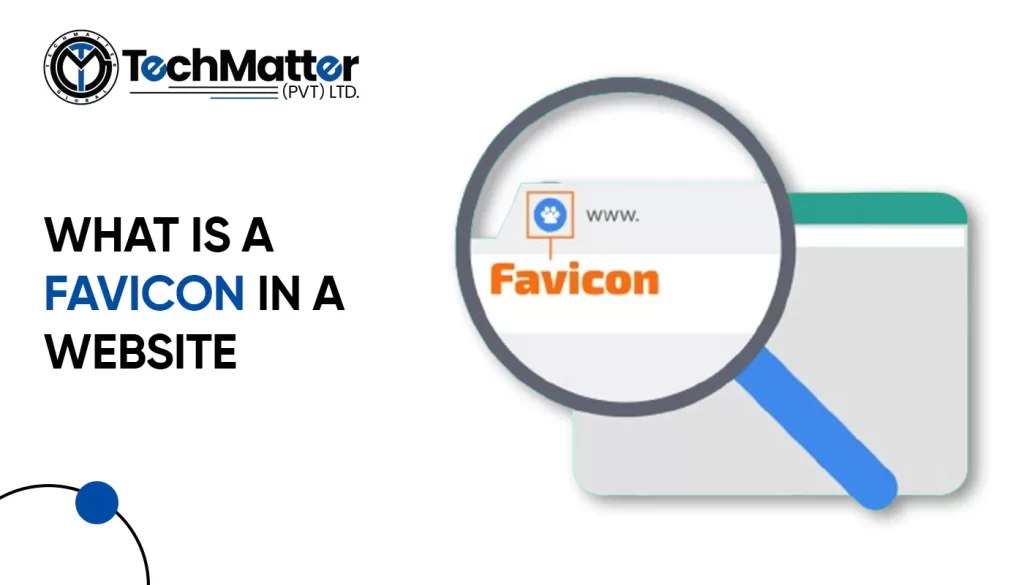
Imagine scrolling through your internet tabs, looking for a specific site. Among all those tabs, one catches your eye because it has a small, unique symbol next to the title.

It’s called a favicon, and it’s a big deal for your website!

In this guide, we’ll walk you through the easy steps to upload a favicon to your website. We’ll keep it simple, no complicated jargon here!

So, let’s get started on making your website stand out with its own special little icon!

What is Favicon?

Your website may become a fantastic piece of art with a few simple steps. A browser icon, or favicon, must be understood first. Well, my dear readers, “favicon” is short for “favorite icon,” also commonly known as a browser icon.

It’s also frequently known as a bookmark, shortcut, or website icon. It acts as a visual representation of a website’s central idea, making it instantly recognized and ingrained in the brains of its visitors.

Does my website need a favicon?

Certainly! Adding a favicon to your website is a great idea! It might seem like a small detail, but it can make a big difference. Think of it as putting the cherry on top of your website sundae. With a favicon, your site looks more polished and professional.

It’s like giving your website its own special logo. Plus, it helps people recognize your site more easily when they have lots of tabs open in their web browser. So, if you want to make your website stand out and leave a good impression on visitors, adding a favicon is definitely worth considering!

How to create a favicon for your website?

Let’s get started on making an eye-catching and remarkable Favicon for your website with the help of the following steps.

A simple guide to adding a favicon to your website

How to add upload favicon in an HTML website?

<link rel="icon" type="image/x-icon" href="favicon.ico">

<link rel="icon" type="image/x-icon" href="images/favicon.ico">

Manual Upload via FTP (advanced)

This method requires some technical knowledge and using an FTP client to access your website files. It’s not recommended for beginners, but here’s the basic process:

<link rel="shortcut icon" href="/favicon.ico" type="image/x-icon">

How to add upload favicon in a WordPress website?

This is the simplest and most recommended method for most users. Here’s how to do it:

How to add upload favicon in a Squarespace website?

  1. Log in to your Squarespace account.
  2. Navigate to the Design panel. You can find it in the left-hand menu in Squarespace 7.0 and newer versions, or under “Settings” in Squarespace 7.1.
  3. Scroll down to the “Browser Icon” section. This might be labelled as “Favicon” in older versions.
  4. Upload your favicon image. You have two options:
    • Drag and drop the image directly into the upload box.
    • Click the “Upload” button and select your image file from your computer.
  5. Click “Save.”

How to add upload favicon in a Shopify website?

  1. Go to your Shopify Admin Panel: Log in to your Shopify account and access the admin panel.
  2. Navigate to Themes: Click on “Online Store” in the left sidebar, then select “Themes”.
  3. Find your theme: Choose the theme you want to edit and click “Customize”.
  4. Access Theme Settings: In the theme editor, find the “Theme settings” tab and click on it.
  5. Locate the Favicon option: Depending on your theme, the favicon settings might be under different sections. Look for options like “Logo”, “Favicon”, or “Appearance”.
  6. Upload your favicon: Click on “Select image” or similar and choose your prepared favicon image from your computer.
  7. Save your changes: Click “Save” to update your theme with the new favicon.

How to add upload favicon in a Webflow website?

Test and verify

The most effective and smooth browsing experience is essential. Check your site’s favicon on various browsers and mobile devices. The browser cache can be deleted if required.

Kudos! Your website now has a personalized favicon that you designed and published. It will now be displayed in the browser tabs of site visitors, increasing brand awareness and familiarity among users.

Major Do’s and Don’ts While Creating a Favicon for Your Website

Let us understand the major do’s and don’ts for creating an appealing browser icon.

Summary

We have explored the fascinating world of browser icons and their enormous potential to make your website stand out in this thorough guide. You should know exactly what a browser icon is and how it may improve your online platform’s visibility and recognizability.

Mobile apps have transformed how we interact with the digital world, from simplifying tasks and enhancing productivity to providing entertainment and connectivity. Behind the scenes, however, lies a complex app Development process that demands meticulous planning, creativity, and technical expertise.

So, what does it take to create a successful mobile app? From conceptualization to design and development, many factors come together to deliver a seamless user experience.

Factors to Consider Before developing a mobile app

Creating a mobile app can be a wise course of action depending on your final goals and the specifics of your business or project. Some excellent factors in favor of creating a mobile app are outlined below.

  1. Select the Ideal Platform

You must choose the primary operating system for your application. Android and iOS are the two primary choices. Choose whether your software will be cross-platform to serve users of both iOS and Android or native, designed just for one OS.

Be sure that this choice will directly impact the functioning of your software and the likelihood of future development.

  1. Understanding Your Audience

You must learn successful app creation and promotion require knowledge of your target audience’s demographics, goals, behaviors, and preferred technology. Ensure that your App is customized to your target consumers’ wants and tastes so they can enjoy and keep using it.

  1. Validate Your App Concept

Before starting the development process, verify whether the application solves a problem or satisfies a requirement. If it occurs, think about how an answer will be offered.

If your App is intended for your organization, ensure it supports your business’s objectives and digital strategy. By outlining your App’s main goals and priorities, you can lay a solid basis for its development. 

  1. Market Awareness

Conduct a thorough search to ensure your app idea has yet to be implemented. Be careful to maintain the originality of your vision by creating an app to find that a comparable one is already on the market.

Especially if the App is intended for a business, make sure the strategy is distinctive and user-friendly. Learn how to differentiate your App from the alternatives by researching the market thoroughly.

  1. Strategic Planning

The design of your App is crucial to its success. Focus on making an intuitive interface that people will enjoy using. Accessibility and content presentation should also be high design priorities.

Security should also be a priority, as consumers often keep sensitive information and important data on their mobile devices. To provide users confidence in the security protections used by your App, implement strong data protection safeguards and privacy settings.

Benefits of Mobile App Requirements

At TechMatter, we understand that gathering detailed mobile app requirements is the foundation of every successful project. A well-defined requirements for the app Development process offer multiple advantages, including:

Why should you consider developing a Mobile App?

Nowadays, there is an app for everything! With billions of smartphone users worldwide, a mobile app may greatly increase your reach while providing an intuitive and responsive user experience that encourages client loyalty.

Push notifications on mobile apps also allow for real-time engagement, creating new opportunities for user engagement and income generation. They enable you to use device-specific capabilities and gather priceless user information for wise decision-making.

A well-designed mobile app may be a valuable tool for your business or project, encouraging growth and innovation in a world where accessibility and convenience are vital.

Types of Mobile App Development

There are various mobile app development methods and technologies. Let’s have a look at them.

Types Description
IOS App Development Creating mobile software, particularly for Apple’s product, is known as iOS app development. Apple gadgets, including the iPhone, iPad, iPod Touch, and Apple Watch, are included. The Apple App Store is where they are later released.
Android App Development This focuses on developing mobile apps for devices running the Android operating system, like iOS development does, frequently utilizing Java or Kotlin.
Fintech Mobile App Development The phrase “fintech” is a combination of finance and technology. These mobile applications are created to automate a variety of financial functions. 

In the present day of automation, financial industries like banking, budgeting, and blockchain greatly need this.


It is used more frequently by platforms like education, retail banking, the stock market, investment management, etc., in their daily operations.

Cross-Platform App Development With this method, you may use frameworks like React Native, Flutter, or Xamarin to create code once and release it across many platforms, including iOS, Android, and occasionally even the web.
Blockchain Mobile App Development In a blockchain, the entire network is informed if something occurs somewhere in the network. And everyone has access to save that data on their gadgets. 

Today, it offers enormous potential for many businesses, which is why the need for blockchain mobile app development is so great.

Hybrid App Development These programs incorporate features from both native and web applications, frequently utilizing HTML, CSS, and JavaScript inside of a native container. 

Developers add a single code bar for all platforms while making hybrid software. This enables anyone to write code and run the program on any operating system.

Native Mobile App Development To create an application, particularly for a single platform, use native app development. This type of application requires specific programming languages and tools. 

Java or Kotlin are needed to create native Android apps. Native iOS app development requires Objective-C and Swift.

 IoT Mobile App Development This refers to creating mobile apps that interface with and control IoT devices, such as smart thermostats, wearables, or home automation systems.
Windows Phone App Development Microsoft Windows devices, Lumia, Surface Pro, Nokia, and other mobile platforms are all supported by Windows Phone App Development. 

Popular Windows-based apps are becoming more prevalent for mobile users. Additionally, this platform runs some specialized software that is still in demand.

Though Windows Phone has lost popularity, some businesses still require apps for the Windows platform.

Augmented Reality Mobile App Development Users can utilize real-world objects to interact with virtual reality using (AR) technology. People will require an app to manage and control AR gadgets.
Wearable App Development Technology that can be carried on the body is known as wearable technology. Such software is often used today with all wearable technology, not only clothing.The fitness tracker, smart glass, and smartwatch are the most well-liked wearable technology.


What are the best platforms to develop mobile apps?

Your project’s needs and your development team’s skill set will determine which mobile app development platform is the best fit.

iOS (Apple)

Development Environment: iOS app development primarily uses Xcode, Apple’s official integrated development environment (IDE). Developers can write code in Swift or Objective-C.

  1. User Base

iOS’s committed and affluent user base attracts firms targeting high-income demographics.

  1. Monetization

The Apple App Store has a reputation for higher user spending, making it a lucrative platform for monetization through paid apps or in-app purchases.

  1. Hardware Integration

Security and privacy are Apple’s top priorities, which benefits sensitive data apps.

  1. Security

Security and privacy are Apple’s top priorities, which benefits sensitive data apps.

Android (Google)

  1. Development Environment:

The official Google IDE, Android Studio, develops Android apps. Developers can use Kotlin or Java.

  1. User Base

Android has a bigger global market share, making it ideal for apps targeting a diverse audience.

  1. Customization

Android is compatible with varied hardware and software ecosystems because of its adaptability and integration.

  1. Monetization

Advertising and in-app purchases can monetize Android consumers, who are more cost-conscious.

  1. Open Source

As an open-source platform, Android gives developers access to a large community and many libraries and tools.

Step-by-Step Process of Mobile App Development 2025

Like in previous years, a set of processes is typically performed during the development of a mobile app to ensure its success and proper operation. Following are the basic 8 steps:

  1. Create a team
  1. Carry out rival research
  1. List key characteristics
  1. Plan your app security
  1. Start coding
  1. Run numerous tests
  1. Launch in the app store
  1. After-launch assistance

Building up and maintaining the Mob App

A mobile app’s building and maintenance is a dynamic process with numerous crucial aspects.

Building phase

The first step in the development phase is to specify the App’s goal, target market, and features. Then, to visualize the user interface, app designers build wireframes and prototypes.

Programming languages like Java (for Android) or Swift (for iOS) are used by developers to create the code.

Maintenance phase

The maintenance phase starts as soon as the App is launched. According to user feedback and market trends, this entails routine updates to repair issues, enhance performance, and add new features.

Security upgrades are essential to safeguard user data and guarantee the App’s continued usability. The performance and user experience of the software are improved by tracking user metrics.

End Note

Mobile app development requires a clear concept, precise design, a competent development team, proper programming languages and tools, relevant APIs, thorough testing, and a strong marketing plan.

When used properly, these aspects can create successful, user-friendly mobile apps that meet specific objectives. Delivering high-quality mobile apps that can impact today’s competitive digital market requires following these guidelines.

FAQs

Why is it important to gather app requirements before development?

Collecting app requirements helps you avoid confusion and rework. It ensures everyone understands the project goals, leading to faster development, fewer errors, and a more successful final product.

How do mobile app requirements improve project efficiency?

Clear requirements make it easier to assign tasks, set timelines, and track progress. This leads to smoother project management and efficient collaboration between teams.

Do app requirements help improve user experience?

Yes, defining user personas and app goals early on helps create a design that meets user needs, resulting in a better interface and improved overall experience.

Can good requirements reduce development costs?

Absolutely. When you have detailed app requirements, you avoid unnecessary features and revisions, which saves both time and money during development.

What’s included in a mobile app requirements document?

A requirements document usually includes the app’s objectives, target audience, key features, design preferences, technical specifications, and any third-party integrations.

Your website may need to be moved. This could be due to domain change, traffic rerouting, promotional landing page A/B testing, or site maintenance.

But how can you ensure everything goes smoothly? How do you give every user a great experience? How can you prevent the SERP rankings for your website from declining? Moving your site is already stressful enough without annoying 404 problems for your users.

Let’s look deeper at wildcard redirection and other methods for a smooth site relocation.

What does Wildcard redirect mean?

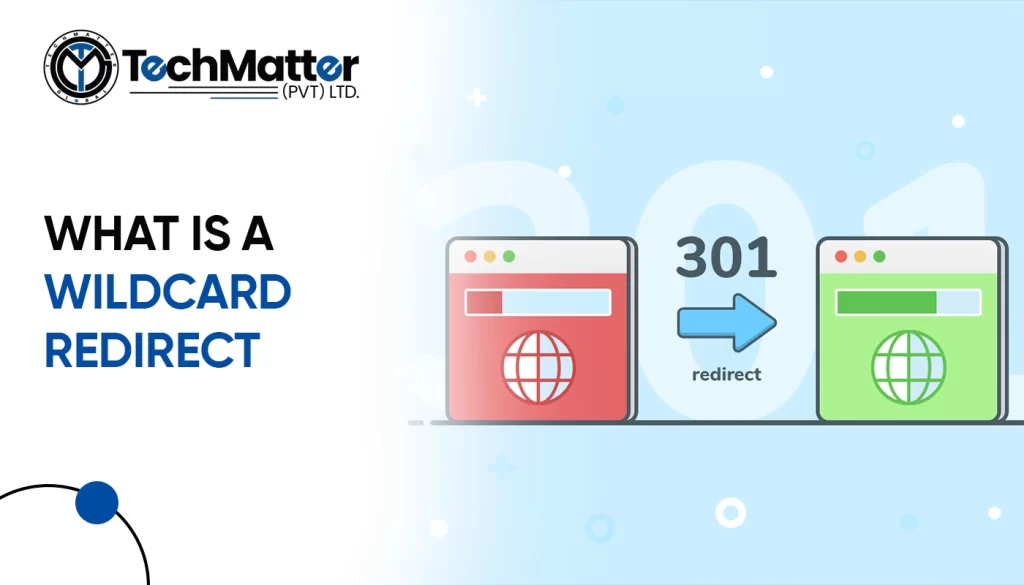
Wildcard redirects can move all traffic from one domain to another. This is useful for redirecting all traffic from one subdomain to another or switching domains.

This URL redirection, a “catch-all subdomain” or “wildcard subdomain,” delivers users to your website regardless of the subdomain they entered, eliminating the need to create separate directories for each possible variant.

You can also use wildcard redirect to send visitors whose subdomain wasn’t spelled correctly, didn’t exist, or was randomly chosen to a working page on your site. This is usually done via a wildcard DNS record, which helps in matching user requests for domains that are non-existent.

Some of its limitations of wildcard redirect

  1. Separate subdomains will supersede your wildcard if you decide to create them.
  2. Only the A, CNAME, URL redirect, AAA, TXT, and MX record types can be used as catch-all (wildcard) records. They are unable to use NS records in any way.
  3. It does not override already existing records.
  4. Root domains are not included in a DNS record.
  5. More 301 redirects put unnecessary load on the server and reduce speed.

Why do we use wildcard redirect?

Here are some of the major reasons why wildcard redirects are used:

  1. Website Restructuring

Wildcard redirects can help ensure that all old URLs are successfully redirected to their new URLs after a website makeover or URL naming change. This prevents broken links and maintains SEO rankings.

  1. Content Consolidation

Consider combining many pages or sections of your website that cover the same subject matter or have redundant material into one page. The old URLs can all be redirected to the new consolidated URL using wildcard redirects.

  1. Handling Dynamic URLs

Employing wildcard redirects, websites that use dynamic URLs with parameters or session IDs can produce both user- and search-engine-friendly URLs. Using a wildcard redirect.

Example

A URL like “example.com/product.php?id=123” may be diverted to “example.com/products/123“.

  1. Handling Errors

Utilizing wildcard redirects, websites that use dynamic URLs with parameters or session IDs can produce user- and search-engine-friendly URLs. Using a wildcard redirect.

Example

A URL like “example.com/product.php?id=123” may be diverted to “example.com/products/123“.

Other uses

What is a wildcard SSL certificate?

This certificate secures the user’s browser and your website. Additionally, a single certificate can secure an infinite number of principal subdomains. You’ll spend less on SSLs if you don’t need them for all the weird subdomains.

How to use cPanel’s wildcard redirect feature?

cPanel can send traffic from one domain to another. This can be done at domain and website levels (example.com to example. co). It’s critical to understand that when configuring a redirect in cPanel, the .htaccess file instantly receives a redirect rule.

How to do wildcard redirect in WordPress?

For more, please watch this video

What are a few examples of Wildcard redirects?

We’ve included a few illustrations to help you understand how to use wildcard redirect correctly:

Redirect all pages from one domain to another
RewriteEngine On

RewriteCond %{HTTP_HOST} ^olddomain.com$ [NC]

RewriteRule ^(.*)$ http://newdomain.com/$1 [R=301,L]


Redirect all pages with a specific file extension to a new location:
RewriteEngine On

RewriteRule ^(.+)\.html$ http://example.com/newlocation/$1.html [R=301,L]

Redirecting files to SSL

Note: If you recently added an SSL certificate, you must create 301 redirects to your website that will switch all HTTP traffic to HTTPS. This prevents duplicate material and guarantees that your visitors access a secure site.

RewriteEngine on

RewriteCond %{HTTP} off

RewriteRule ^(.*)http://%{REQUEST_URI} [L,R=301]

Old domain to a new domain redirecting
RewriteEngine on

RewriteCond %{HTTP_HOST} ^abc.com [NC,OR]

RewriteCond %{HTTP_HOST} ^www.abc.com [NC]

RewriteRule ^(.*)$ http://abc.co/$1 [L, R=301,NC]

 Redirect URLs with a specific keyword to a new page
RewriteEngine On

RewriteCond %{REQUEST_URI} keyword

RewriteRule ^(.*)$ http://example.com/newpage [R=301,L]

 Redirect all URLs to a specific landing page
RewriteEngine On

RewriteRule ^(.*)$ http://example.com/landingpage [R=301,L]

 End Note

It’s not simple to transfer your domain or website. It must be done properly and intelligently to avoid losing visitors or impacting your Google ranking. Using wildcard redirection is an excellent way to handle indefinable subdomain requests from users and guarantee that they see the right and legitimate web pages. Most significantly, wildcard SSL certificates will maintain the security of your website, particularly following a wildcard subdomain redirect.

One popular concept that has emerged to facilitate efficient teamwork is the ODC (Offshore Development Center). Its devoted staff of qualified specialists is located other than the parent company. Their capacity to bridge resources, knowledge, and cost-effectiveness has made them appealing.

Let’s discuss the meaning of ODC and its importance in different industries.

How does an ODC work?

Imagine a world where you can have access to the best software developers from all over the globe without having to worry about the high costs of hiring and retaining them in-house. This is the promise of Offshore Development Centers (ODCs).

ODCs are dedicated teams of software developers, designers, testers, and project managers who are located in a different country from their clients. They are typically established in countries with a cost advantage, such as India, Eastern Europe, or Southeast Asia.

They are designed to be an extension of the client’s in-house team. They work closely with the client to understand their needs and deliver high-quality software solutions. ODCs typically use a variety of communication and collaboration tools, such as video conferencing, project management software, and instant messaging, to stay connected with their clients.

There are many benefits to working with an ODC.

If you are looking for a way to reduce costs, improve quality, and accelerate time to market, then consider working with an ODC.

Key components of an ODC

  1. Client Organization: The client organization, often called the “parent company,” seeks to leverage an ODC for software development or related activities. It is responsible for defining project requirements, setting goals, and overseeing operations.
  2. Offshore Location: Low-cost countries like India, the Philippines, and Eastern Europe host ODCs. This location reduces labor expenses and provides access to competent IT workers.
  3. Service Provider: A third-party service provider or IT outsourcing business creates and runs for the customer. This supplier hires, manages, and retains the development team and provides infrastructure and resources.

What are the benefits of setting up an ODC?

Businesses must evaluate their specific needs and assess the potential benefits before setting them up. However, in most cases, the advantages of accessing global talent, cost efficiencies, scalability, and enhanced focus on core competencies make them an attractive choice for businesses seeking to optimize their operations and expand their capabilities.

How do you choose the right ODC for your business needs?

Setting up and running it requires careful planning and implementation. Here are some best practices to consider:

  1. Define Clear Objectives

Clearly outline your organization’s goals and objectives while choosing it. Align these objectives with your overall business strategy to ensure a focused and purposeful setup.

  1. Thoroughly Assess Vendor Capability

Selecting the right vendor is the most crucial. Evaluate their expertise, experience, cultural fit, and communication abilities. Conduct thorough due diligence and engage in a transparent and collaborative partnership.

  1. Effective Communication

Establish clear lines of communication between the parent organization and the ODC. Use communication tools like video conferencing, project management software, and instant messaging platforms to ensure seamless and timely communication.

  1. Build Strong Relationships

Foster a collaborative and harmonious relationship between the parent organization and the Offshore Development Center teams. Encourage frequent interaction, knowledge sharing, and cultural exchange to build trust and enhance collaboration.

  1. Regular Performance Evaluation

Implement a system to evaluate the performance regularly. Set key performance indicators (KPIs) to measure their productivity, quality of work, and adherence to project milestones. Provide feedback, recognition, and rewards to motivate the team.

  1. Ensure Data Security

Implement robust security measures to protect sensitive data and intellectual property. Clearly define data handling protocols, implement secure infrastructure, and strictly comply with data protection regulations.

  1. Continuous Improvement

Encourage a culture of continuous improvement by promoting knowledge sharing, learning, and skills development. Regularly review and refine processes, leveraging feedback from the parent organization and the ODC.

Is ODC and outsourcing the same?

No, they are not the same. It is a dedicated development center established by a company in a different country, while outsourcing involves hiring a third-party company to perform specific tasks or projects. The following are a few of the key differences between the two:

What are the challenges of managing an ODC?

While it offers valuable benefits, there can be challenges in effectively managing them. Here are some common challenges:

  1. Communication and Language Barriers

Effective communication can be a challenge when dealing with language barriers, different time zones, and cultural differences. Miscommunication can lead to misunderstandings and delays if not adequately addressed.

  1. Team Integration and Cohesion

Building a sense of unity and fellowship between the parent organizations and teams can be challenging. Bridging the cultural and geographical gap requires effort and proactive measures to foster teamwork and friendship.

  1. Managing Different Work Cultures

They often operate in different work cultures and may have varying work styles, practices, and expectations. Understanding and managing these cultural differences is crucial for smooth collaboration and effective performance.

  1. Project and Task Management

Managing projects across different locations and time zones requires practical project and task management. Establishing transparent processes, setting realistic timelines, and leveraging efficient project management tools are essential.

  1. Maintaining Consistent Quality

Maintaining consistent quality across geographically dispersed teams can be challenging. Establishing standardized processes, implementing quality control measures, and providing clear guidelines and expectations are vital for consistent performance.

  1. Attrition and Retention

Attrition rates and staff retention can increase in ODCs due to cultural differences, professional opportunities, and market dynamics. Regularly assessing employee satisfaction, providing growth opportunities, and recognizing achievements can increase employee retention.

  1. Legal and Regulatory Compliance

While operating in different countries, they may face legal and regulatory challenges. Awareness of local labor laws, tax regulations, and intellectual property rights is crucial to ensure compliance and mitigate legal risks.

End Note

While managing an ODC presents challenges, such as communication barriers and cultural differences, these can be overcome with effective practices and proactive management. By embracing their potential and navigating the challenges with finesse, organizations can unlock new opportunities and propel themselves toward success in the modern business landscape.

If you are a developer, you’re probably well-acquainted with JavaScript. This flexible programming language can create various programs, from basic internet pages to complicated enterprise software. JavaScript is one of the most popular programming languages globally, and its utilization keeps expanding. Since the 90s, JavaScript has passed through full-size advancements and improvements, allowing developers to create exceedingly responsive and interactive net packages.

What is JavaScript, and why is it used?

JavaScript is an incredibly flexible programming language that is applied notably in conjunction with HTML and CSS on the World Wide Web. It is liable for powering almost all websites, accounting for about 98.7% of them, and is applied to create webpage conduct through customer-aspect scripting, frequently with the aid of 0.33-party libraries. All fundamental internet browsers have a specialized JavaScript engine that executes the code on users’ gadgets.

tech matter blog post 15 09 2023 copy

Employers value JavaScript capabilities quite, and it’s widely used throughout diverse industries, along with advertising and marketing, social media, and layout. The common global salary for a JavaScript developer is $65,680; inside the United States, it is $112,000.
As an excessive-stage, simply-in-time compiled language, it adheres to the ECMAScript well-known. It boasts dynamic typing, prototype-based object orientation, and pleasant capabilities.
Its number one characteristic is to deliver net pages to existence, making them interactive by including occasion handlers to factors, growing animations, and making sure web pages are responsive. It is also able to grow web programs, video games, and cellular apps. It is also a key language for plenty of popular frameworks like React, Angular, and Vue.Js. This programming language is the ultimate solution for creating relatively attractive and interactive web content material.

How does JavaScript work?

We already know the usage of JavaScript in net programs, including functionality, such as changing the arrival of factors, responding to person enter, making animations, etc. It is a client-aspect scripting language that runs on the person’s computer, no longer the server. This makes it perfect for developing interactive net pages that all people can use, no matter their net connection speed.

When you load an internet page, the browser downloads JavaScript code for your PC, after which it translates and executes it. This system takes place in actual time, allowing you to see updates to the net web page as they occur.

Here’s an extra specified breakdown of how it works:

  1. Upon loading a web page, the code is downloaded to your PC.
  2. The browser interprets and executes the script code line by line.
  3. A name stack is created to keep song of the order in which the code is processed.
  4. The browser establishes a memory heap to keep the data utilized by the code.
  5. It keeps executing until it reaches the end of the program or encounters a mistake.

What is the syntax of JavaScript?

It entails a set of rules that dictate how code is written, including variable declaration, function creation, and control of execution flow. While the syntax is based on the C programming language, it has been simplified to make it more accessible to learn.

It accommodates statements and complete commands that direct the browser on what to do. Semicolons separate these statements. It has one-of-a-kind kinds of statements, along with declaration statements, expression statements, control go-with-the-flow statements, object statements, array statements, and function statements. It also affords built-in gadgets along with the String, Number, and Array gadgets, which might be helpful in information manipulation and different responsibilities.

Examples of JavaScript Syntax

console.log("Hello");

console.log() prints text to the console. //Text inside the parentheses is printed.

Function example

function helloWorld() {

console.log("Hello, World!");}

Most common uses of JavaScript

Its applications extend beyond simple web pages, and it is employed in many real-life scenarios.

1: Web Development

1.1: Front-end Development

It is in the main acknowledged for its function in the front-cease internet development. It enables builders to build interactive and responsive person interfaces. This includes capabilities like photograph sliders, shape validation, dynamic content loading, and real-time updates, making net programs greater enticing.

1.2: Single-Page Applications (SPAs)

JavaScript frameworks like React, Angular, and Vue.Js have modified net development with the aid of enabling SPAs. These apps load a single HTML page and dynamically update content material as users interact, enhancing user revel.

Popular JavaScript frameworks for SPAs

SPAs like Gmail, Facebook, Twitter, Netflix, and Spotify provide quicker loading times, higher responsiveness, and an advanced user revel in. You can also use them to improve search engine marketing with SSR, SSG, JavaScript bundler, and asynchronous JS loading.

1.3: Web Animation

It creates animations, transitions, and effects that make websites visually appealing. Libraries like Green Sock Animation Platform (GSAP) and Three.js are popular for 2D and 3D animations.

2: Back-end Development

It is not just for front-end development; it can be used for server-side scripting in Node.js. It’s famous for constructing scalable, efficient back-end services and APIs.

3: Mobile App Development:

Its developers may construct cross-platform mobile apps with React Native. By exchanging code across iOS and Android, this framework speeds up and decreases development costs.

4: Game Development

Combined with HTML5 and Canvas, it is used to create browser-based games. Engines like Phaser and Babylon.js facilitate game development using it.

There are also 2D and 3D game frameworks for JavaScript, like Phaser, Babylon.js, and Three.js.

5: Data Visualization

Its versatility extends to facts visualization. Data visualizations like charts, graphs, and maps may be made dynamic and configurable the usage of the strong framework D3.Js.

6: IoT (Internet of Things)

It can be employed to develop IoT programs for controlling and tracking connected gadgets. Libraries like Johnny-Five make it easier to engage with hardware using it.

7: Automation and Scripting

It is usually utilized for automation and scripting tasks. Developers leverage their skills to create scripts that can automate repetitive approaches, along with statistics extraction from websites, filling out forms, or interacting with internet services through APIs. Tools like Puppeteer and Selenium allow builders to script actions in an internet browser, making them invaluable for web scraping, testing, and other automation obligations.

8: Serverless Computing

Serverless computing is a cloud computing model wherein developers build and run programs without stressing about dealing with servers. JavaScript, especially via frameworks like AWS Lambda, Azure Functions, or Google Cloud Functions, is essential in serverless computing. Developers can write serverless features in it to reply to activities and execute code, taking into consideration scalable and price-effective answers.

9: Chatbots and AI

The advent of chatbots and apps using artificial intelligence (AI) is based closely on it. Chatbots regularly use it, communicating with users via textual content or voice to manipulate personal input, interpret natural language, and offer replies. Moreover, It can be used to integrate AI libraries and offerings, making it less difficult to build innovative programs that examine facts and make clever choices.

10: Progressive Web Apps (PWAs)

Progressive Web Apps (PWAs) deliver internet browsers a native app-like experience. It uses JavaScript, supplying the interactive and dynamic capabilities customers count on from present-day internet apps. Technologies like Service Workers and Web App Manifests help create offline-capable, rapid-loading, and responsive PWAs that may be set up on a person’s tool.

11:  E-commerce and Payment Processing

It is crucial in the international of e-trade and fee processing. It permits the introduction of interactive buying carts, product galleries, and checkout procedures on e-trade web sites. Payment gateways, essential for on-line transactions, frequently provide JavaScript-based integrations that facilitate stable and seamless payments. It also enables beautify consumer experiences by means of enabling real-time fee calculations, dynamic product guidelines, and interactive product reviews.

But how to implement JavaScript?

Here are some common uses of JavaScript, along with steps to implement them:

Adding Interactivity to Web Pages:

Purpose: JavaScript enables you to make web pages more dynamic and responsive to user actions.

Steps:

Html
<script src=”your-script.js”></script>


Javascript
document.getElementById(“myButton”).addEventListener(“click”, function() {


// Your JavaScript code here

});


Javascript
document.getElementById(“elementId”).innerHTML = “New content”;


  1. Pop-up Menus:

Purpose: Pop-up menus or modal dialogs can be used for displaying additional information, forms, or messages without navigating to a new page.

Steps:

Html
 
<div id=”popup” class=”popup”>

<div class=”popup-content”>

<!– Content of the pop-up menu goes here –>

</div>

</div>


Css
.popup {

display: none;

/* Other styles for position, background, etc. */

}


Javascript
function showPopup() {

document.getElementById(“popup”).style.display = “block”;

}


  1. Clickable Buttons:


Purpose: JavaScript is used to make buttons interactive, enabling actions like submitting forms, navigating to other pages, or triggering functions.

Steps:

Html
<button id=”myButton”>Click Me</button>


Javascript
document.getElementById(“myButton”).addEventListener(“click”, function() {

// Action to perform on button click

});


  1. Form Validation:

Purpose: JavaScript can be used to validate user input in forms to ensure data accuracy before submission.

Steps:

Html
Copy code

<form id=”myForm”>

<input type=”text” id=”name” placeholder=”Name”>

<input type=”email” id=”email” placeholder=”Email”>

<input type=”submit” value=”Submit”>

</form>


Javascript
document.getElementById(“myForm”).addEventListener(“submit”, function(event) {

event.preventDefault(); // Prevent the form from submitting by default

// Validation logic here

});


Here’s a more detailed breakdown of how it works:

  1. The code is downloaded to your PC upon loading a web page.
  2. Line by line, the script code is interpreted and executed by the browser.
  3. To keep track of the order in which the code is executed, a call stack is created.
  4. To store the data needed by the code, the browser creates a memory heap.
  5. It keeps running until it reaches the program’s end or runs into an error.

Conclusion:

Now that we know this, we can confidently say that JavaScript is the most popular programming language in the world. It helps create both mobile and online applications, as well as for machine learning and the Internet of Things. Since Its developers have virtually limitless coding potential, the language will continue to be in high demand for the foreseeable future.

When starting with WordPress, picking a hosting provider may seem daunting. But deciding between shared hosting and managed-to-host, two of the most common ways to host WordPress blogs, is important to the success of your site as a whole. This article will discuss the benefits and drawbacks of shared and managed WordPress hosting. Then, we’ll help you choose the best option by looking at the differences between the two in more depth.

What exactly is Shared WordPress Hosting, and how does it function?

If your website just went live, shared WordPress hosting could be a great option to consider as a first step. Even though it doesn’t have as many features as managed hosting, it still has several significant advantages. Technology has changed over time, enabling it to add new features like faster data transfer, more storage space, and more ways to control things. If you spend the time and work on it, your site’s audience and traffic will expand, and soon you’ll be in a position to upgrade.

Several websites are stored on a single server, which the company that hosts the sites takes care of. This means that all the websites on the server share the server’s resources, like storage space, bandwidth, and processing power. Shared hosting is a good choice for small and medium-sized sites that don’t get much traffic because it’s cheap to host multiple sites on a single server. But this also means that the performance of the websites may be affected by what other websites on the same server are doing. 

With shared WordPress hosting, more than one website is kept on the same server, which the hosting company takes care of. All websites share the server’s resources, like storage space, bandwidth, and processing power. Shared hosting is a low-cost option for small to medium-sized websites with little traffic. It lets multiple websites share a single server. However, it also means that the websites may be affected by the actions of other websites on the server.

Benefits and drawbacks of Shared Hosting

Small companies and individuals wanting to get their website online but can’t afford a pricey hosting plan may find shared hosting a suitable alternative. The advantages discussed are as below.

  1. Affordable: Shared hosting is usually cheaper than hosting on a dedicated or virtual private server. This makes it a good choice for startups, bloggers, and anyone on a tight budget who needs a reliable hosting service.
  2. User-friendly: It’s simple to start with shared hosting; most services include user-friendly interfaces and one-click installers for popular software like WordPress. As a result, you no longer need to know much about technology to get a vital website up and running. 
  3. Reliability: Shared hosting servers are used by many clients, so the hosting company has many fail-safes in place. So, site owners can be sure that their content will always be available.
  4. Scalability: If you use a shared hosting service, you can switch to a more robust plan with little effort as your website grows and more people visit it. For example, you can begin with a low-end shared hosting package and gradually move up to a more powerful one as your website grows in popularity.

There are various disadvantages to adopting shared hosting. Among the most notable drawbacks are the following:

  1. Confined resources: Sharing a server with numerous other websites means that you may have to make do with less bandwidth and storage space than you’d like. Because of this, if your website has an unexpected spike in traffic, the server may need help to handle the increased load.
  2. Safety risks: Since your website shares a server with many others, it is vulnerable to the security flaws of those other websites. This is especially the case if the server’s other websites are not secure or are managed by hostile actors.
  3. Limited access: With shared hosting, you have little say over the server and its configuration. Unfortunately, this may prevent you from making modifications or setting up the server as you see fit.
  4. Possibility of lousy performance: Since your website shares a server with numerous other websites, the performance of the other websites on the server will impact the performance of your website. Your site’s performance may suffer if any websites suffer unusually high traffic or technical difficulties.
  5. Less scalability: Shared hosting could be better for sites anticipating rapid expansion or a large influx of visitors because of its inability to scale up to meet the demand. Your website may outgrow the shared hosting plan’s ability to support it, prompting the time-consuming and costly process of seeking an alternative hosting solution.

What is Managed WordPress Hosting?

A specific hosting service created for WordPress websites is managed WordPress hosting. When you use managed WordPress hosting, the hosting company takes care of many technical parts of keeping a WordPress site running. For example, they install and update WordPress, handle backups, and offer security features to keep your website safe. This can be a good choice for WordPress users because they don’t have to worry about the technical side of keeping a website up and running. Instead, they can focus on creating and managing their content.

Although managed WordPress hosting is often more expensive than other forms of hosting, many WordPress users may find the extra functionality and convenience worthwhile. You can select the best service for your website from the range of plans managed to host providers typically offered to fit various needs and budgets.

Benefits and drawbacks of Managed WordPress sharing

There are various benefits to adopting managed WordPress hosting, which include:

Overall, managed WordPress hosting might be a good choice for businesses and people who want a fast, secure, and easy-to-use website but want to avoid dealing with the hassle of managing the technical details themselves.

Depending on the type of website you run, the services you offer, and other factors, there may be other reasons why managed WordPress hosting is not the best choice for your site. 

The Key Differences Between Shared and Managed WordPress Hosting

Shared hosting and managed-to-host services are the two types of web hosting used most frequently for WordPress websites. The table below shows how these hosting models are similar and different in meaningful ways. 

Which hosting service is the best for WordPress?

There is no definite answer because it entirely depends on the website’s requirements. Shared hosting works well for small websites anticipating a limited amount of traffic. This comprises blogs, personal websites, and websites for small businesses. With shared hosting, you can start for less money and still get enough speed for the amount of traffic.

If you already have or plan to make a website that gets a lot of traffic, managed WordPress hosting is the best alternative. The managed WordPress hosting service will also cover all the maintenance, so you can focus on growing your business. This comparison will help you decide if shared WordPress hosting or managed WordPress hosting is better for your website. The world of website hosting can be complex. However, you can start creating your website more rapidly if you save time deciding the choice.

Conclusion

You know the main differences between shared WordPress hosting and managed WordPress hosting and can make an informed choice, right?  Both options are still popular with different types of businesses, and each has pros and cons that companies need to look at to make the best choice for their needs. A website hosting provider will be crucial to the functionality of your company’s website. Both shared WordPress hosting and managed WordPress hosting will have different effects on your website, blog, staff, and resources. So choose wisely!

Scroll Down