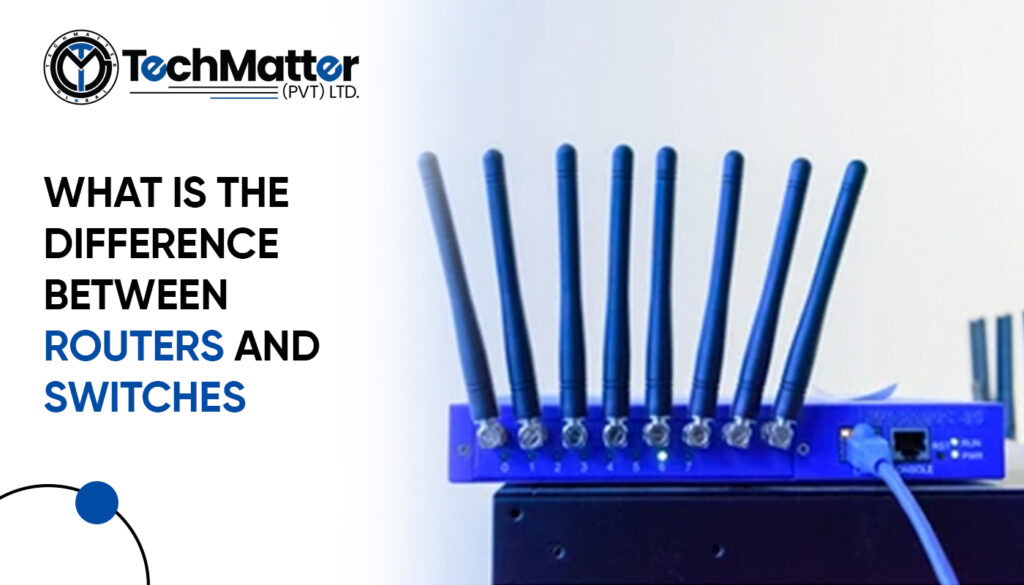
When constructing a network for a small office, switches and routers are the two pieces of equipment necessary. Although they have a similar appearance, the two devices each serve distinct purposes within a connection.
In the world of computer networks, routers and switches play similar roles. While switches link devices, routers operate at the network layer and are responsible for determining the quickest route for a packet across the network.
Routers allow devices to communicate with one another despite being on different networks. As you read this article to learn more about these two types of network equipment, the contrasts between them will become clear.
Network switches link devices on a single computer network. Switching hubs, bridge hubs, and MAC bridges are other names for switches. The switch employs the MAC address to send the data to the right place. The switch is a layer two device that operates at the data link layer. It receives, processes, and sends data using packet switching. They can also function at OSI layer 3, the “network layer,” where routing operations occur. Network switches connect desktop PCs, business equipment, wireless access points, and some Internet of Things (IoT) devices, like online card entry systems.
Numerous types and categories of network switches are available to serve various purposes. Which are:
Managed switches, most prevalent in commercial and enterprise environments, provide IT professionals with higher capacity and capabilities. Interfaces for the command line are used to set up managed switches. They enable straightforward network management protocol agents, which provide data for resolving network problems.
In addition, administrators can use them to establish virtual LANs to subdivide a local network. Due to the added functionality of managed switches, they are significantly more expensive than unmanaged switches.
These switches may have non-modifiable default configurations for features such as quality of service. Unmanaged switches are inexpensive, but their limited capabilities make them inappropriate for many corporate applications.
Local area network switches, often known as “LAN switches,” are frequently used to connect sites on an organization’s internal LAN. In some circles, it is also known as an Ethernet switch or a data switch. The optimal bandwidth allocation prevents data packets from overlapping as they move through a network. The LAN switch transports the data packet to its destination before forwarding it. These switches eliminate network congestion and bottlenecks by sending a packet of data only to its intended receiver.
This switch allows many computers to connect to a keyboard, mouse, or monitor. These switches are a common choice to manage multiple servers at once and free up desk space. A KVM switch allows users to control multiple computers from a single console. You can easily switch between PCs by configuring the keyboard hotkeys that are usually built into these devices. A KVM extender can increase the switch’s transmission range by several hundred feet when transmitting DVI, VGA, or HDMI video signals.
An OSI Layer 3 router operates (Network Layer). It is a networking device that performs two primary tasks:
A router joins switches and their networks to construct more extensive networks, whereas switches connect devices to form networks.
A router establishes an internet connection between a network and the outside world, selects which devices receive priority, and safeguards data from security risks. Additionally, many routers come with built-in switches that enable network device communication.
It can be found everywhere—at work, at home, at the railroad station, etc. It generates a radio signal. Assuming you are at the office, we can use wireless signals to connect to the internet because your laptop is in the signal range. By providing our user ids and passwords, we are able to provide security for routers. The router will request a password and UserId when we attempt to connect to it. A user ID and password are included with the gadget. No user information is harmed because of security. When we go to public places, a Wi-Fi window will pop up so we can use the internet on our phones. You can see that it is password-protected when you see it. Public access to wireless routers is possible. It allows N users to connect.
The meaning of the name is obvious. It is possible to connect to the network using a wire. If we go to a bank, small college, or business, we can see a PC or laptop wired to the internet via an Ethernet cable. It has a wireless access point. Users can use VIOP to link up with the phone if they like (voice-over-IP technology). There is an ADSL (modem) with two connectors for Ethernet and cell phone connections.
It resides at the border of the network’s infrastructure and can link to the core routers. It will route packets of information via a network or multiple networks, which can be either wired or wireless. However, it won’t transfer internet data packets between networks.
It is made to function as the core or backbone of the internet. It enables a variety of fundamental internet-compatible, high-speed telecommunication interfaces. All of them have full IP packet forwarding capability. It is capable of using the core’s routing protocol. It will disperse internet data packets around the network. However, the core won’t send internet data packets across networks.
It is the standard setting for a computer-sharing network. It operates under the VRRP. It comes online when the primary router is broken or turned off. It needs several routers in a group to share a virtual IP address. Each group has a master who manages the IP packets. Other routers will assume control if the master fails while delivering packets.
The information that has been provided so far about switches and routers should be able to explain their distinctions and how they are both essential components of IT systems. The following table further outlines the fundamental differences between the two devices.
| Routers | Switches |
| 1. Routers function at the OSI model’s Layer 3 (Network). | Network switches function at OSI model layer two (Data Link Layer). |
| 2. The wireless connection has a speed restriction of 1–10 Mbps, while the cable connection has a speed limit of 100 Mbps. | The switch has a maximum speed of 10/100 Mbps in operation. |
| 3. Aids consumers in making the quickest routing choice | Most likely to choose a more challenging route |
| 4. The router is more efficient in different network situations (MAN and WAN) than the switch. | A switch can perform better than a router in a local area network. |
| 5. Routers are flexible networking devices that can function in wired or wireless networks. | Switches can only link to networks via wired connections. |
| 6. The main job of a router is to connect multiple networks at the same time. | Switches’ primary function is to connect multiple devices at once. |
| 7. A router can only connect to networks when there are at least two to join. | A switch can only connect to one network at a time. |
We know that the distinctions between a switch and a router need to be understood more. On the other hand, if you put in the effort to learn how each piece of equipment operates, it will be easier for you to locate the most suitable tool for your network.


IT Solutions and Managed Services Provider specializing in developing custom solutions.
 +1 (781) 667-5321
 info@techmatter.co
 100 N Brand Blvd Suite 522, Glendale, CA 91203, USA